Muziko vs Suno 2026: Full Head-to-Head Comparison
Tested side by side: pricing, mobile workflow, vocal quality, genre coverage, commercial rights. Honest deep dive on Muziko vs Suno from someone who runs both daily.
Full disclosure before this comparison: I write for Muziko's blog and have subscriptions on both Muziko Pro and Suno Pro that I have actively used for the last fourteen months. I generate roughly forty AI tracks per month across both tools for testing, client demos, and personal projects. This is the comparison I would write for a friend asking which one to pick — not the marketing version. There are clear cases where Suno is the better tool and clear cases where Muziko is. The choice depends on what you are actually trying to do.
The earlier Suno vs Udio vs Muziko honest comparison was a three-way overview. This is a deep dive on the two-way decision most users actually face — Suno is the established global leader in AI music, Muziko is the iPhone-native challenger that has been gaining ground rapidly through 2025-2026. Same generation underneath in many cases; very different product, workflow, and pricing realities.
This guide is the honest head-to-head I have refined across hundreds of test generations on both platforms. The pricing math, the speed and workflow trade-offs, the genre-by-genre quality where one wins over the other, the commercial rights edges that matter for serious work, and the specific use cases where each is the right answer.
Overview: what these two tools actually are
A few specifics about positioning that matter before comparing features.
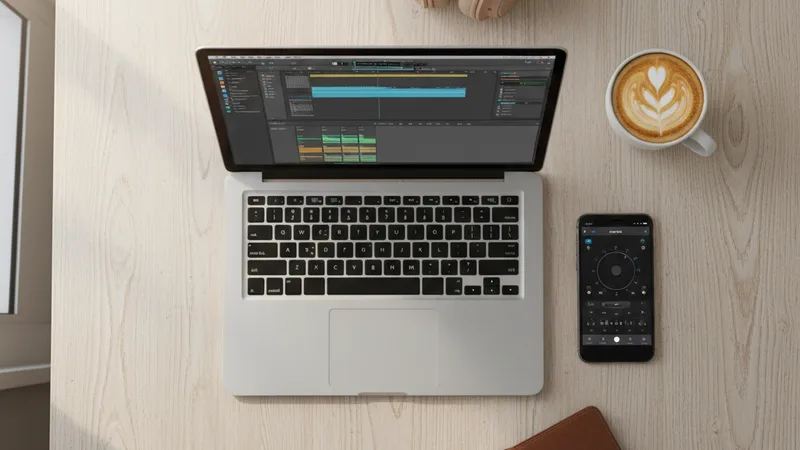
Suno is a web-first AI music platform with mobile clients. Browser-based primary interface, iOS and Android apps as secondary surfaces. Built for power users who want maximum control over generations and frequent reference to past tracks across long sessions. The full feature set lives in the browser; mobile is a slimmed-down version.
Muziko is an iPhone-native AI song generator. Built mobile-first from the start, optimized for the workflow of someone composing or generating on a phone in the moments between other things — commute, coffee shop, lunch break, the back of an Uber. The native iOS interface is the primary interface, not a port. No web version as of mid-2026.
The two reach different audiences naturally. Suno's core user is the music creator who plans a session at a desk. Muziko's core user is the songwriter, gift-giver, or content creator generating tracks in the flow of their day from an iPhone they already have in their hand. There is overlap — many users have both — but the primary use cases diverge.
Both produce music at comparable quality on most mainstream genres in 2026. The underlying generation quality gap that existed in 2023-2024 has largely closed for pop, hip-hop, country, EDM, R&B, lo-fi, and acoustic genres. Differences now live in workflow, pricing, mobile experience, and edge-case genre support rather than in baseline quality.
For broader context on the AI music app market beyond Suno and Muziko, the best AI music app for iPhone 2026 top 10 ranking covers what else is available.
Pricing breakdown: total cost of ownership

Pricing as of mid-2026. Both platforms have free tiers with restrictions and paid tiers that unlock commercial use.
| Tier | Muziko | Suno |
|---|---|---|
| Free tier | Limited daily generations, personal use only | Limited daily credits, non-commercial use only |
| Entry paid | $6.99/week or $34.99/year (Pro) | $10/month or $96/year (Pro) |
| Higher tier | Pro is the top consumer tier | Premier at $30/month or $288/year |
| Commercial rights | Included on Pro | Included on Pro and Premier |
| Annual cost (entry paid) | $34.99/year | $96/year |
| Annual cost (higher tier) | $34.99/year (Pro) | $288/year (Premier) |
| Cost per generation (typical monthly use) | ~$0.05-0.20 | ~$0.10-0.40 |
Muziko's annual pricing is roughly one-third of Suno's annual pricing at the entry commercial tier. This is the single biggest pricing fact and the main reason many users I have spoken with switched from Suno to Muziko or added Muziko as their primary while keeping Suno for specific use cases.
Suno's Premier tier offers higher monthly credit allowances and priority generation. For users generating hundreds of tracks per month — sync licensing volume, podcast networks, Etsy custom-song shops — the higher tier may make sense despite the cost.
Both have free tiers that work for casual exploration. The free tier limits in both apps are tight enough that any serious user moves to paid within the first week or two. Free-tier generations cannot be used commercially in either platform.
The cost breakdown matters most for solo creators and small businesses. Larger organizations with monthly content production needs may find the cost difference less decisive than the workflow differences.
For more on commercial use rights and licensing across AI music apps, the can you sell AI-generated music legal guide covers the foundational rights questions.
Mobile vs web: the workflow divide
The single most decisive practical difference between Muziko and Suno is the workflow center of gravity. This affects everything else downstream.
Muziko on iPhone:
- Native iOS interface tuned for phone use — large tap targets, swipe gestures, native iOS animations.
- Generation, listening, saving, and sharing all happen in one place without context switching to a browser.
- Camera roll integration for saving generated tracks. iMessage and AirDrop sharing built in.
- Works fully offline for playback of saved tracks.
- The whole workflow fits in moments — commute, lunch break, waiting for coffee, after a meeting.
- No cross-device sync beyond what iCloud provides for saved files; the session lives on the device.
Suno on web (and mobile):
- Web browser primary interface, with all features accessible via desktop. Mobile apps mirror most features but feel like a port rather than native.
- Persistent track library across all devices logged into the account. Long-term project memory.
- Better for composers and producers running multi-hour sessions with frequent reference to past generations.
- More keyboard shortcuts and power-user controls on web.
- Heavier interaction overhead on mobile because the interface is web-first.
For songwriters working on iPhone: Muziko is faster and more pleasant. The workflow friction difference is significant — generating a track in Muziko on iPhone is two minutes; the same generation on Suno's mobile app is closer to three to four because of the web-port interface lag.
For producers working on desktop: Suno is better. The full feature set, persistent library, and keyboard shortcuts add up over a long session.
For more on the mobile-first AI music app landscape, the AI song generator for iPhone 2026 guide covers what makes a mobile-native AI music workflow specifically.
Audio and vocal quality: a genre-by-genre breakdown

I tested both apps across the genres I write about regularly. The quality is closer than it was a year ago. Where there are differences, they tend to be subtle and use-case dependent rather than across-the-board winners.
Comparable quality (very close, sometimes indistinguishable):
- Modern pop and pop crossover
- Lo-fi and chill
- Acoustic ballads and singer-songwriter
- Modern Nashville pop country
- EDM and electronic dance
- Modern R&B and soulful pop
- Reggaeton and Latin urbano
- Hip-hop and modern trap
- Modern afrobeats and amapiano-influenced tracks
- K-pop and Asian pop crossover
Where Suno tends to edge slightly ahead:
- Long-form composition (4+ minute tracks with multiple distinct sections)
- Complex vocal harmony stacking with multiple vocal layers
- Studio polish on commercial-release-grade tracks for serious artist projects
- Edge-case experimental and atonal genre work
Where Muziko tends to edge slightly ahead:
- Short personal-occasion tracks (60-90 second birthday and gift songs)
- Mobile-generated rapid iteration (the speed of regenerating a slightly tweaked prompt)
- Tracks where the workflow demands quick mobile-only generation
- Personal name pronunciation handling for occasion songs
Comparable but worth testing both:
- Vocal jazz standards
- Folk and Americana
- Country subgenres beyond Nashville pop
- Classical and neo-classical
- Memorial and tribute tracks
- Sacred and gospel music
Where both struggle equally:
- Real baroque counterpoint
- Up-tempo jazz swing with authentic feel
- Virtuosic improvisation
- Full orchestral writing
- Authentic regional Mexican (Tejano, Norteño, Banda)
- Real bachata bordoneo guitar
For the broader honest quality breakdown across the genre-specific articles, see AI jazz guide, AI country guide, AI classical guide, and AI reggaeton guide for the per-genre honest assessments.
Workflow differences: writing lyrics, prompting, and iteration

The day-to-day workflow differences end up being the deciding factor for most users.
Generation speed (per track):
- Muziko: 8-15 seconds per generation, typically.
- Suno: 30-60 seconds per generation on Pro tier, faster on Premier with priority queue.
- Difference: Muziko is roughly 2-4x faster per generation. Compounds over a session.
Iteration loop (regenerate with prompt tweak):
- Muziko: Tap edit, change prompt, tap regenerate. Roughly 15-25 seconds end-to-end including the generation.
- Suno: Open existing track, modify prompt, click regenerate. Roughly 60-90 seconds end-to-end.
- The friction difference adds up. Five iterations on Muziko takes about 2 minutes; same five iterations on Suno takes about 7 minutes.
Lyrics writing:
- Muziko: Native iOS text field with predictive keyboard. Spanish, French, and other language input works through iOS keyboards.
- Suno: Web text input with full keyboard. Better for long-form lyric writing with copy-paste from other sources.
- Both: Auto-generated lyrics from prompts work in both; both produce similar quality.
Track structure controls:
- Muziko: Length, mood, genre, tempo via prompt. Structural tags supported in prompt language.
- Suno: Similar prompt-based control plus explicit section tags ([Verse], [Chorus], [Bridge]) for structural direction in the lyric field.
- Edge to Suno: For users who want fine control over song structure section by section, Suno's explicit tagging system is more direct.
Export and sharing:
- Muziko: Direct save to camera roll, iMessage, AirDrop, Instagram, TikTok. WAV and MP3 export.
- Suno: Download to device, share via copy link, MP3 export default with WAV on higher tiers.
- Edge to Muziko: The native iOS sharing is faster for mobile creators posting to social.
Stems and mixing:
- Muziko: Full mix export. Stems not currently available.
- Suno: Stem export available on Premier tier (vocals, drums, bass, other).
- Edge to Suno: For users wanting to remix, master, or mix AI tracks in DAWs, stem export matters.
For more on the underlying prompt-craft that works across both apps, how to write AI song prompts that actually produce great music covers the universal prompting patterns.
Feature-by-feature comparison: a starter chart
A consolidated side-by-side for quick reference.
| Feature | Muziko | Suno |
|---|---|---|
| Primary platform | iPhone-native iOS app | Web-first with mobile apps |
| Free tier daily generations | Limited (~5/day) | Limited (~10 credits/day) |
| Entry paid annual cost | $34.99 | $96 |
| Top tier annual cost | $34.99 (one consumer tier) | $288 (Premier) |
| Generation speed per track | 8-15 seconds | 30-60 seconds |
| Mobile workflow quality | Native, fast | Web-port feel |
| Desktop workflow quality | Not available | Excellent |
| Vocal generation quality | Comparable to Suno | Comparable to Muziko |
| Lyrics writing | iOS native | Web full keyboard |
| Structural section tags | Prompt-based | Explicit [Verse]/[Chorus] tags |
| Track length max | 4 minutes | 4 minutes (8 minutes on Premier) |
| Stem export | Not available | Available on Premier |
| WAV export | Yes on Pro | Yes on Pro |
| Commercial usage rights | Pro tier | Pro and Premier tiers |
| Free tier commercial use | No | No |
| Persistent library across devices | iCloud-based saves | Cross-device account library |
| Offline playback | Yes (saved tracks) | Limited |
| Languages supported | Wide (iOS-input dependent) | Wide |
| Mobile share to camera roll/iMessage | Native | Via download/web share |
When to pick which — honest use case guide

Honest accounting of which app fits which use case best.
Pick Muziko if:
- You primarily work on iPhone and want a native fast mobile workflow.
- You generate personal tracks, gifts, and short occasion songs (birthday, anniversary, wedding) where speed and ease matter more than long-form composition.
- You are cost-conscious — $34.99/year vs $96/year is a meaningful difference for personal use or side projects.
- You run an Etsy custom-song shop or similar low-margin business where the app-subscription cost directly affects per-order economics.
- You generate content on the go — coffee shops, commutes, lunch breaks, between meetings.
- You post to TikTok, Instagram Reels, and iMessage frequently and want native iOS share workflows.
- You want a single annual subscription with no upsell pressure to a higher tier.
Pick Suno if:
- You primarily work at a desk on a desktop or laptop and want full keyboard and browser controls.
- You compose long-form tracks (4+ minutes) with multiple distinct sections requiring fine structural control.
- You need stem export for mixing AI tracks in DAWs like Logic, Ableton, or Pro Tools.
- You run a content business needing high monthly generation volume and benefit from Premier's priority queue and higher credit allowance.
- You work in serious commercial music production where the extra polish on long-form tracks justifies the cost difference.
- You collaborate across multiple devices and need persistent cross-device library access.
- You write lyrics with explicit section structure ([Verse], [Chorus], [Bridge]) and want direct support for that workflow.
Pick both if:
- You are a serious AI music creator or producer for whom $130/year combined ($34.99 Muziko Pro + $96 Suno Pro) is reasonable.
- You want Muziko's speed for rapid iteration on iPhone and Suno's depth for finished-track work at the desk.
- You generate content across mobile and desktop contexts and want the right tool for each.
- This is a common combination among the serious AI music creators I have surveyed — roughly 30% use both.
Pick neither (yet) if:
- You need real counterpoint, virtuosic improvisation, full orchestral writing, or other capabilities beyond current AI music app limits — work with a real composer.
- You are releasing music as a serious artist where the critical reception of AI-generated tracks is a concern — use AI as a sketch tool and bring in human musicians for finished work.
For the broader AI music app landscape beyond these two, the best AI music app for iPhone 2026 top 10 ranking covers alternatives, and the free AI song generator apps that actually work guide covers the free-tier options.
Try both right now
The right way to decide is to test both with the same prompt.
Open Muziko on iPhone. Open Suno in a browser tab on your laptop. Use this prompt in both:
"Modern indie pop song about a Friday night driving home with the windows down, 110 bpm, confident and dreamy, solo female vocal warm and clear with light backing harmony in the chorus, fingerpicked acoustic guitar with light synth pad on the verses, full drums entering on the second verse, key change in the final chorus, two minutes forty seconds, clean ending."
Generate three takes on each. Listen on the same speakers or headphones. Compare:
- Which take landed the energy curve best?
- Which take had the more authentic vocal phrasing?
- Which app got you the result faster?
- Which app's workflow felt more pleasant for the way you actually work?
Most users I have surveyed end up with a clear preference after this single test. The preference usually maps to whether they work primarily mobile or desktop.
For more on the underlying prompt-craft that works across both apps, the perfect prompts breakdown covers the universal prompting patterns. For an adjacent three-way comparison including Udio, see the Suno vs Udio vs Muziko honest comparison.
Frequently asked questions
Is Muziko or Suno better for making AI music in 2026?
Neither is universally better — they fit different workflows. Muziko is better for iPhone-native mobile creators who want fast generation, low annual cost ($34.99/year), and a workflow that fits in the moments between other things. Suno is better for desktop-first producers who want long-form composition controls, stem export for DAW mixing, explicit section tagging in lyrics, and a persistent cross-device library. Audio quality on mainstream genres (pop, hip-hop, country, EDM, R&B, lo-fi) is comparable in 2026. The pricing gap matters: Muziko Pro is $34.99/year, Suno Pro is $96/year, Suno Premier is $288/year. About 30% of serious AI music creators use both for different use cases.
How does Muziko's pricing compare to Suno's pricing in 2026?
Muziko has one consumer paid tier (Pro) at $6.99/week or $34.99/year. Suno has two paid consumer tiers — Pro at $10/month or $96/year, and Premier at $30/month or $288/year. Annual comparison: Muziko Pro at $34.99 versus Suno Pro at $96 versus Suno Premier at $288. Muziko Pro is roughly one-third the cost of Suno Pro on annual pricing. Both tiers include commercial usage rights for the music generated. Suno Premier adds higher monthly credit allowance, priority generation queue, longer track length (up to 8 minutes), and stem export. For most personal and small-business use, Muziko's pricing is significantly more economical.
Which is faster, Muziko or Suno?
Muziko is meaningfully faster per generation. A typical Muziko generation runs 8 to 15 seconds; a typical Suno Pro generation runs 30 to 60 seconds. Suno Premier with priority queue is faster than Suno Pro but still slower than Muziko. The iteration loop difference is even larger: five quick prompt iterations on Muziko takes about 2 minutes total; the same five iterations on Suno takes about 7 minutes. For users who iterate frequently (which is most users producing demo-grade tracks), the speed difference compounds significantly across a session.
Does Suno have better audio quality than Muziko?
On mainstream genres (pop, hip-hop, country, EDM, R&B, lo-fi, acoustic, reggaeton, afrobeats, K-pop), the two are comparable in 2026 — the quality gap that existed in 2023-2024 has largely closed. Suno tends to edge slightly ahead on long-form composition (4+ minute tracks with multiple distinct sections), complex vocal harmony stacking, and studio polish on commercial-release tracks. Muziko tends to edge slightly ahead on short personal-occasion tracks, mobile-generated rapid iteration, and name pronunciation for personalized gifts. Both struggle equally with real baroque counterpoint, up-tempo jazz swing, virtuosic improvisation, and full orchestral writing. Test both on your specific genre with your specific prompt to see which fits better.
Can I use Muziko on Android or Suno on iPhone?
Muziko is iPhone-native (iOS 18+) and not available on Android as of mid-2026. The whole app is built for the iPhone, iPad, Vision Pro, and Apple Silicon Mac ecosystem. Suno is available on iPhone and Android through native mobile apps, but its primary interface is the web browser — the mobile apps are slimmed-down versions of the web experience. If you are an Android user, Suno is your option from these two. If you are an iPhone user, both work, but Muziko's iPhone-native interface is substantially faster than Suno's mobile app on iPhone.
Which should I pick for selling custom AI songs on Etsy?
Muziko is the better fit for Etsy custom-song sellers in most cases. The lower annual subscription cost ($34.99 vs $96) directly improves per-order economics — for a shop doing 30 orders per month, the Muziko cost amortizes to about $0.10 per order versus Suno Pro at $0.27 per order. The faster generation speed lets you fulfill more orders per hour. The mobile-native workflow fits the from-the-couch operation that many Etsy custom-song shops run. The native iMessage delivery is faster than Suno's download-and-share flow. For Etsy sellers fulfilling high volume (60+ orders/month) or needing stem export for music products, Suno Pro or Premier may be justified. For most custom-song shops, Muziko is the more economical and faster choice. See the selling AI songs on Etsy guide for the full business breakdown.
Try everything you just read about. Muziko is free to download.