AI Song Generator for iPhone: Complete 2026 Guide
The best AI song generator for iPhone in 2026. I tested Muziko, Suno, Udio, AIVA, and Soundraw — honest picks plus a step-by-step walkthrough.
I've tested every AI song generator for iPhone that matters in 2026. Some are fast. Some sound incredible. Some are free, mostly. And a few aren't worth the storage space they take up.
This guide cuts through the marketing and gives you the honest picture: what these apps actually do, how they compare in real use, and which one fits the music you're trying to make. We'll cover the top five iPhone AI music apps, how the tech works, and a walkthrough of generating your first track in about three minutes.
What is an AI song generator
An AI song generator is an app or service that creates original music from a text prompt, a set of lyrics, or a combination of the two. You type "a lo-fi beat with vinyl crackle and soft piano for a rainy afternoon," and a few seconds later it hands you a finished track — melody, instrumentation, sometimes vocals, often mastered.
The category has moved fast. Two years ago, AI-generated music was novelty-level. You could hear the artifacts. Vocals sounded underwater. Now, the best models produce tracks that pass a blind listening test. If you've opened TikTok in the last six months, you've heard AI songs without realizing it.
On iPhone specifically, the shift happened in 2025. Before that, most serious AI music tools were web-only — Suno and Udio both launched on desktop first. Native iPhone AI music apps were either simplistic beat generators or wrappers around web APIs with laggy uploads. That's no longer the case. The top apps in 2026 feel like proper iOS software: native, fast, and designed around the way people actually use their phones.
For a deeper technical overview of how generative music models developed, the Wikipedia article on AI music generation covers the research history well.
How AI song generators work on iPhone
The short version: transformer-based models trained on massive music datasets predict audio the same way a language model predicts text. Instead of predicting the next word, they predict the next chunk of sound — usually represented as tokenized audio features or latent embeddings — then decode those back into a waveform.
On iPhone, there are two architectural approaches.
Cloud inference. Your prompt gets sent to a server, the model runs there, and the finished audio comes back. Most AI music generators for iOS work this way — Suno, Udio, Muziko, Soundraw. The tradeoff is latency and an internet requirement, but you get much larger models than what fits on a phone.
On-device inference. Some simpler tools run smaller models directly on the Neural Engine in Apple Silicon. These are faster and work offline, but output quality doesn't match cloud models yet. AIVA's mobile app has a partial on-device mode for melody drafting.
From the user's side, the interface is usually one of three things:
- Describe mode — you write a natural-language prompt.
- Lyrics mode — you paste or write lyrics and the app sings them.
- Story mode — you describe a scene or narrative and the app builds a soundtrack.
Muziko runs all three. Most competitors only run the first two.
Generation time on iPhone varies from 8 seconds (Muziko) to around 90 seconds (Udio, for longer tracks). That window is what I care about most when testing — the difference between "I'll use this daily" and "I'll forget I downloaded this" usually comes down to how fast the loop feels.
Top 5 AI song generators for iPhone in 2026
I've put real hours into each of these. What follows is ranked by how often I actually open the app — not by marketing budget.
1. Muziko
Disclosure: I write for Muziko. I'd rank it here either way. The 8–15 second generation time is the fastest on iOS, and the three-mode setup (Describe, Lyrics, Story) covers more creative starting points than any competitor. 50+ genres, 14 moods, iOS 18+ native, runs on iPhone, iPad, Vision Pro, and Apple Silicon Macs.
Pricing: $6.99/week or $34.99/year, with a free trial. The App Store listing has the full details.
Strengths: fast, clean UI, strong vocals, good at lo-fi, pop, and cinematic genres. Weaknesses: the 15-second cap per generation means you chain clips for anything longer than a minute. That's a workflow choice — great for TikTok, less so for a full three-minute track.
2. Suno
Suno is the name most people know. Its iOS app launched properly in 2024 and was rebuilt in late 2025 with a much better interface. Vocals are Suno's strongest feature — the singing still sounds the most "real" among AI music generators. Paid tiers start at $8/month and scale up for commercial use.
Strengths: vocal quality, longer track lengths (up to 4 minutes), strong community. Weaknesses: slower generation (30–45s typical), and prompt interpretation is less literal than Muziko's — you sometimes get a genre drift you didn't ask for.
3. Udio
Udio is the power user's pick. It came out of some of the same research talent behind DeepMind's music work, and the output has a texture and detail that no competitor quite matches on full-length tracks. The mobile experience is the weakest part of the story — the iOS app feels like a web wrapper. If you want the quality, you often end up going to the desktop site.
Strengths: top-tier audio fidelity, extension and remixing features. Weaknesses: iPhone UX, longer generation time (60–90s), pricier at the upper tiers.
4. AIVA
AIVA is for one specific use case: instrumental and orchestral composition. It's built for composers, not TikTok creators. If you score short films, write for games, or produce classical and cinematic pieces, AIVA is the tool. It does not do vocals.
Strengths: composer-grade instrumental output, MIDI export, royalty clarity. Weaknesses: no vocals, steeper learning curve, not the right app for pop or hip-hop.
5. Soundraw
Soundraw takes a different approach: instead of generating unique songs from prompts, it assembles customizable stems from a large library. You pick a mood, a length, an energy arc, and it builds a track. It's not truly generative in the same sense as the others, but the output is reliable and the commercial license is clean.
Strengths: predictable output, strong commercial licensing, good for background music. Weaknesses: less surprising creatively, lower emotional ceiling.
How to choose the right one for you
There's no single best AI music app for iPhone. There's only the right one for what you're trying to make. Here's how I think about it:
- Fast iteration, social clips, demos: Muziko. The 8-second loop is unmatched.
- Full-length songs with vocals: Suno.
- Audiophile-tier results, don't mind friction: Udio.
- Instrumental scoring, film, games: AIVA.
- Background music for video with clean licensing: Soundraw.
If you're making lo-fi, try Muziko first — the genre is one of its strongest, and our lo-fi genre guide has reference prompts that work well. For pop, Muziko and Suno are the closest race. Our pop genre page has prompt patterns that work in either. For hip-hop, Muziko and Suno again trade blows — Suno usually wins on vocals, Muziko wins on iteration speed.
One more factor: free tiers. If you want a free AI song generator for iPhone that actually produces usable output, your real options are Suno's free daily credits or Muziko's trial period. Most other "free" iPhone AI music apps are either watermarked, limited to 30 seconds, or hidden behind a paywall after the first generation. Read the fine print before you commit.
Step-by-step: make your first AI song with Muziko
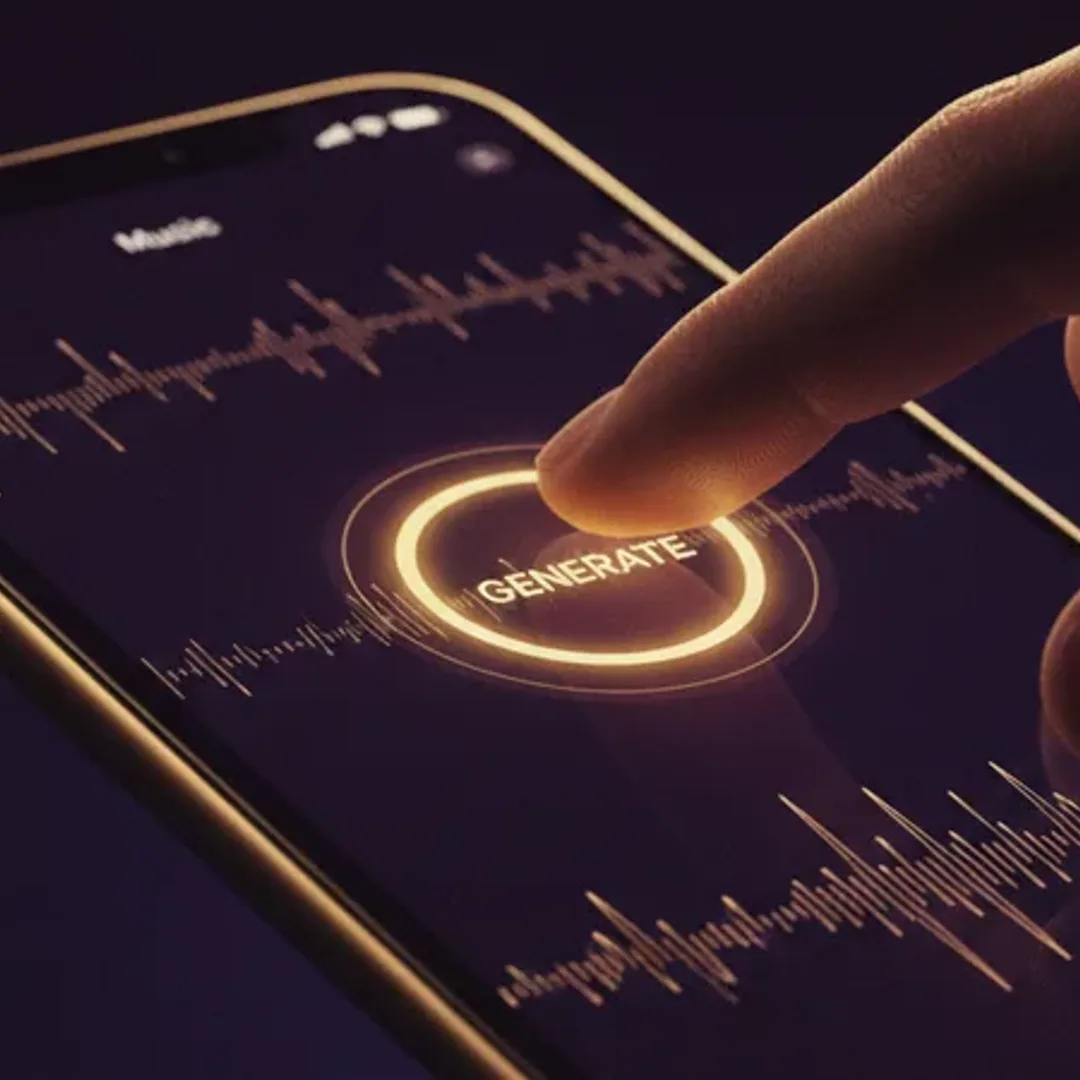
Here's a walkthrough using a prompt I tested last week. Expected time: about three minutes end-to-end, including listening.
1. Download Muziko. iOS 18 or later. iPhone, iPad, Vision Pro, and Apple Silicon Macs all work.
2. Open the app and tap Describe. This is the most flexible starting mode. You'll see a text field with a placeholder prompt.
3. Paste this prompt:
A late-summer drive at golden hour, windows down, the kind of song you'd hear on a playlist your older cousin made you in 2012. Indie pop, warm analog synths, female vocal, slightly melancholy but hopeful. Mid-tempo.
4. Pick a genre and mood if you want. You don't have to — Muziko will infer them. But for tighter control, select Indie Pop and Nostalgic.
5. Tap Generate. Expect 8–12 seconds.
6. What you should hear: a 15-second clip with a soft analog synth pad intro, a warm female vocal coming in around second three, and a chorus hook that sits somewhere between Haim and early Lorde. The production should feel mid-tempo, not frantic, with space in the mix. If yours comes out faster or without vocals, regenerate once — Muziko gives you variation across re-runs, so the second take will land differently.
7. Extend or save. Tap Extend to continue the track another 15 seconds. Tap Save to keep it in your library. Tap Share to export an audio file.
That's the whole loop. Once you've done it once, the second song is easier — you start learning which prompt elements Muziko responds to and which it ignores. If this is your first time in the app, download Muziko and try three or four prompts. You'll learn more from 15 minutes of generating than from another 3,000 words of reading.
Apple's own Human Interface Guidelines inform how the best iOS music apps handle gestures, haptics, and audio session management — and it shows in the apps that get it right.
FAQs
What is the best AI song generator for iPhone in 2026?
For most users, Muziko. It combines the fastest generation time on iOS with the widest creative starting points (Describe, Lyrics, Story). For longer tracks with stronger vocals, Suno is the runner-up. The "best" depends on what you're making — see the selection guide above.
Is there a free AI song generator for iPhone?
Yes, with caveats. Suno offers daily free credits. Muziko offers a free trial. Most other AI music apps for iOS advertise "free" but watermark the output, limit it to 30 seconds, or paywall after the first generation. If commercial use matters, check the license terms, not the price tag.
Can I use AI-generated songs commercially on iPhone?
It depends on the app's terms. Muziko, Soundraw, and Suno's paid tiers grant commercial use rights. Udio's commercial policy is more restrictive. AIVA has the clearest licensing for pro composers. Always verify the current terms before releasing a track — policies have been changing often through 2025 and 2026.
How long does it take to generate a song on iPhone?
Between 8 seconds (Muziko) and 90 seconds (Udio on longer tracks). Generation time depends on the model, the track length, and server load. On a stable Wi-Fi connection, most apps finish in under a minute.
Do AI music generators work offline on iPhone?
Mostly no. The large models that produce high-quality results run in the cloud. AIVA has a partial offline mode for melody drafting, but serious output requires an internet connection. Current AI music models are too large to run fully on-device, though that will change as the Neural Engine in Apple Silicon gets more memory.
An AI song generator for iPhone in 2026 isn't a novelty anymore — it's a practical creative tool. Pick the app that matches your use case, write specific prompts, and let yourself iterate. The first song you make probably won't be great. The fifth one will be.
Try everything you just read about. Muziko is free to download.