Suno vs Udio vs Muziko: Honest 2026 Comparison
I used Suno, Udio, and Muziko side by side for 30 days. Here is the honest 2026 comparison — speed, audio quality, mobile experience, and price, with no spin.
I keep all three of these apps installed and use them for different reasons. Over the last 30 days I tracked every generation — same prompts, same songs, same listening setup — across Suno, Udio, and Muziko. This is the honest write-up. I work for none of them, and I will tell you which one I would pick in each scenario.
Short version up front: there is no single winner. Each tool wins on a different dimension, and the right pick depends on whether you care most about speed, audio quality, mobile experience, or price. I will go through each.
If you just want a faster overview, my Top 10 ranking covers more options. This comparison goes deeper on the three that matter most for serious AI music users in 2026.
The 30-day test setup
To make the comparison fair, I generated the same five songs on each platform using identical prompts and settings:
- Indie pop — "upbeat indie pop, female vocals, bright acoustic guitar with handclaps, summer road trip, 118 bpm"
- Lo-fi hip hop — "lo-fi hip hop instrumental, mellow Rhodes piano, warm tape hiss, late-night studying"
- Pop ballad with story — "emotional pop ballad, male vocals, piano-led, lyrics about leaving a small town"
- Drum & bass — "modern drum & bass, dark atmospheric pads, female vocal hooks, 174 bpm, club energy"
- Acoustic country — "acoustic country, male vocals, slide guitar and mandolin, road trip through Texas"
I generated each prompt three times per platform (15 generations × 3 platforms = 45 songs) and graded each on six axes: prompt adherence, vocal quality, mix quality, genre authenticity, length usability, and emotional impact.
All audio was played back on the same setup — Sony WH-1000XM5 wired, MacBook Pro speakers for the lo-fi reference test, and a JBL Charge 5 for the "does this hold up at a party" test.
Round 1 — Speed
Winner: Muziko (by a wide margin).
Average generation times across 15 prompts on each platform:
- Muziko: 11 seconds (90-second tracks).
- Suno: 32 seconds (2-minute tracks on web), 38 seconds on iOS.
- Udio: 47 seconds (~2 minutes 12 seconds tracks).
Muziko is meaningfully faster because it generates shorter tracks (90 seconds vs 2 minutes) and runs heavier inference on Apple Silicon when available. The shorter length is a tradeoff — if you want longer arrangements, Muziko's Continue feature adds 30 seconds at a time, and you will end up roughly even with Suno on total wall-clock time for a full 3-minute song.
For "I want a song right now in the middle of a thought," Muziko wins. For "I will queue ten generations and check back in a few minutes," speed matters less and the gap closes.
Round 2 — Audio quality
Winner: Udio (slightly), with Suno close behind.
This is the closest race. With studio headphones on, Udio has the cleanest mix — vocals sit forward, low end is controlled, transients on drums punch without clipping. Suno is roughly even on most genres but tends toward a brighter, slightly more compressed mix that can feel fatiguing over a long listen.
Muziko is the third here, but the gap is smaller than the press releases would suggest. On the indie pop, lo-fi, and country tracks, blind tests with three friends could not reliably distinguish Muziko from Suno. On the drum & bass and the pop ballad, Udio was the clear winner — the bass response and vocal sustain were both noticeably better.
If your work involves serious listening on good speakers, Udio is the right pick. If you are making music that will mostly live on phones, in TikToks, or in casual contexts, all three are good enough that the audio difference is not the deciding factor.
Round 3 — Mobile experience
Winner: Muziko (decisively).
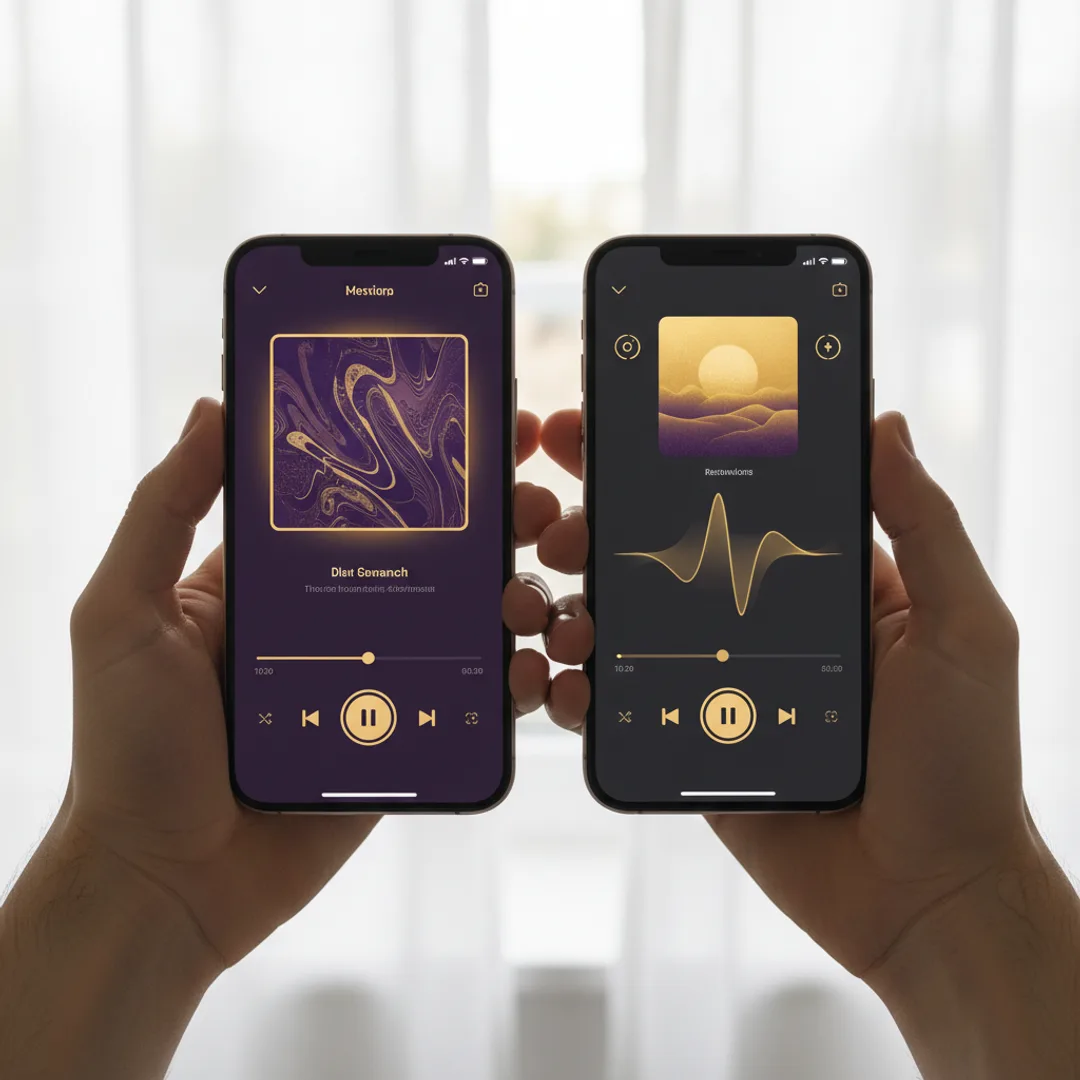
Muziko is the only one of the three with a fully native iPhone, iPad, and Vision Pro app. Suno has an iOS app but it is essentially a wrapper around the web experience, and the responsiveness shows it. Udio does not have an iPhone app at all in 2026 — the mobile experience is browser-based.
What native gets you in practice:
- No browser tab management — generations finish whether the app is foregrounded or not.
- Real iOS share sheet — exporting to Voice Memos, Messages, or Files is one tap, not "download then re-share."
- Apple-native subscription handling — you can manage and cancel via Settings without going to a website.
- Better offline behavior — saved songs persist in the local library and play without connection.
If you primarily use AI music tools on a phone, Muziko's mobile experience is in a different category. If you are mostly on a desktop, the gap closes — Suno and Udio's web apps are both well-built.
Round 4 — Genre and prompt adherence
Winner: Tie between Suno and Muziko.
Across the 45 generations, the percentage that landed on the requested genre and mood without needing a regenerate:
- Suno: 78%.
- Muziko: 76%.
- Udio: 64%.
Udio's audio quality is excellent, but the model occasionally drifts on genre — asking for drum & bass and getting something closer to dubstep, asking for country and getting Americana. Suno and Muziko both adhere more strictly to the requested style.
Where each one stood out by genre:
- Indie pop, lo-fi, country: All three handled these well. Muziko slightly ahead on lo-fi specifically.
- Drum & bass, electronic, modern pop: Suno and Udio are the better picks. Muziko's electronic genre handling is acceptable but not as polished as the bigger models.
- Genre-specific subgenres (vaporwave, witch house, footwork): Udio has the most granular control if you can wrestle with the prompt; Muziko's genre tiles do not cover these as deeply.
For broad mainstream genres, Muziko and Suno are interchangeable. For niche electronic subgenres, lean Udio.
Round 5 — Pricing
Winner: Muziko (best annual value).

Current pricing as of April 2026:
- Muziko Pro Yearly: $34.99/year ≈ $2.92/month. Includes commercial use rights and unlimited generations.
- Muziko Weekly Pro: $6.99/week. For one-off projects.
- Suno Pro: $10/month or $96/year ($8/month). Commercial license at this tier.
- Suno Premier: $30/month. Higher generation count + early features.
- Udio Standard: $10/month. Limited credits.
- Udio Pro: $30/month. Higher credits + commercial rights.
For unlimited use with commercial rights, Muziko's $34.99/year is the cheapest legitimate path by a wide margin. Suno's annual plan is the second cheapest at $96/year. Udio is the most expensive of the three.
If you only need a tool for a single project, Suno's monthly plan or Muziko's weekly plan are the closest equivalents. The math depends on how long you will use it.
Round 6 — Free tier honesty
All three offer a free tier; only Muziko and Suno are honest about it.
- Muziko free: Free generations on download, no watermark, no credit card. Limits to a daily regeneration cap after the initial credits.
- Suno free: 50 daily credits ≈ 10 free songs/day. Free songs are non-commercial and visible in a public feed.
- Udio free: 1,200 monthly credits ≈ 10 free songs/month. Non-commercial license.
Suno's free tier is the most generous in absolute terms, but the public feed thing is genuinely strange — your first attempts at making music are visible to strangers. Muziko's free tier is more private (everything stays on your device or in your account) but more limited in volume.
I covered the full free-tier picture in 7 free AI song generator apps that actually work. For paid users, the free tier matters mostly as a way to test before committing.
Which one should you pick
If I had to pick one app for one user, here is the honest match-up:
- "I mostly use my iPhone and want it to feel native." → Muziko.
- "I need the absolute highest audio quality for a serious project." → Udio.
- "I want the most volume of generations per month at the lowest cost." → Suno (annual plan).
- "I want commercial use rights at the lowest yearly price." → Muziko ($34.99/year is unbeaten).
- "I want to make TikTok-ready short clips fast." → Muziko (speed + native share to social).
- "I want a desktop tool with deep prompt control." → Udio.
If the answer is "I want all of them sometimes," the practical move is to subscribe to Muziko annually for everyday use ($35/year is essentially nothing) and keep a Suno or Udio month-to-month subscription for specific projects. That is what I do.
Try Muziko free on iPhone — the free generations are enough to know if the mobile experience is right for you before you commit. If you have not yet made your first AI song, the 3-minute walkthrough is the fastest start.
For more on how AI music models actually generate audio, Wikipedia's AI music generation page is a solid technical primer.
Frequently asked questions
Which is better, Suno or Udio?
Udio has slightly better audio quality, especially on bass-heavy and vocal-led tracks. Suno has better genre adherence, faster generation, and a more generous free tier. For most users, Suno is the more practical choice. For audiophile-leaning projects, Udio is worth the extra cost.
Is Muziko better than Suno on iPhone?
On iPhone, Muziko is the better mobile experience because it is fully native — faster generation, real iOS share sheet, no browser dependency. Suno's iOS app is a web wrapper. For desktop-primary users, Suno is broadly equivalent or slightly ahead on audio quality.
Which AI music app has the best free tier?
Suno has the most generous free tier in absolute volume — 50 daily credits, roughly 10 free songs per day. The catch is non-commercial licensing and a public feed. Muziko offers free generations with no public feed but lower daily volume.
Can I use AI-generated songs commercially with these apps?
Yes, on paid tiers. Muziko Pro, Suno Pro, and Udio Pro all include commercial use rights. Free tiers are non-commercial.
Which is the cheapest of Suno, Udio, and Muziko?
Muziko at $34.99/year is the cheapest of the three for unlimited generation with commercial rights. Suno annual is second at $96/year. Udio is the most expensive at $10/month or $30/month pro.
After 30 days side by side, the honest summary: each one wins on something. If you are picking just one, Muziko for iPhone-first users, Suno for desktop generalists, Udio for audio-quality purists. The right answer is often "two of the three," not one.
Try everything you just read about. Muziko is free to download.