
AI Music vs Stock Music: Epidemic, Artlist, Soundstripe
Should you cancel your stock music subscription? Honest comparison of AI music against Epidemic Sound, Artlist, and Soundstripe for podcasters, YouTubers, filmmakers, and brand creators.
I have been paying for Epidemic Sound continuously since 2018. Eight straight years of $15-25 per month for access to a library that now has roughly 50,000 tracks plus sound effects. In the same period I have also paid for Artlist twice (for specific six-month projects) and Soundstripe once. Combined I have probably spent $1,500-1,800 on stock music subscriptions in the last decade. In the last six months I have generated about 200 AI music tracks for content projects on Muziko Pro and Suno Pro, paying $130 combined per year, and have started actively asking myself whether the Epidemic Sound subscription is still earning its keep.
This is the question that creator-economy podcasters, YouTubers, indie filmmakers, brand-content producers, and agency creative teams are quietly asking through 2026: can AI music replace the stock library subscription, or do the libraries still serve a purpose? The honest answer is "partly" — AI replaces a significant share of stock-library use cases at lower cost, and stock libraries still beat AI on specific niches and workflow conveniences that are not obvious until you compare them carefully.
This guide is the side-by-side I have refined across six months of running both tools in parallel for real client work. The pricing math, the licensing edges that matter, the workflow trade-offs, the breadth-versus-customization decision, and the specific use cases where each tool is the right choice in 2026.
What stock music libraries do (and have done well for a decade)
A few specifics about the stock music landscape that creators take for granted after years of use.
Epidemic Sound, Artlist, and Soundstripe are the dominant three. Each has 20,000-60,000 tracks plus sound effects, with mixed-quality but generally professional production. They are designed for content creators who need music now, with clear search and tagging, and predictable per-track quality.
Subscriptions are recurring and license-tied. When you subscribe, the tracks you use are licensed for as long as you remain subscribed. If you cancel, your license technically lapses on already-published content (most libraries grandfather some uses; check terms). This subscription-license tie is the single thing that makes stock libraries expensive over a multi-year content career.
Search and metadata are mature. A decade of human curation means Epidemic Sound has detailed tags for mood, energy, genre, tempo, instruments, and use cases. You can find a 2:30 sad-piano-with-strings cinematic ambient track at 70 bpm in twenty seconds. AI music has nothing equivalent to this search experience.
Library quality is consistent but generic. The same track soundtracks dozens, hundreds, or sometimes thousands of pieces of content. Listeners who consume a lot of YouTube and podcasts have started to hear the same tracks recurring across unrelated shows. The libraries are at the saturation point where their core value (uniqueness) is starting to erode.
Sound effects are a major stock-library strength. Epidemic Sound and Soundstripe both have 30,000+ sound effects with comparable curation. AI music apps generally do not generate sound effects (footsteps, doors, weapons, ambient noises) reliably. For creators needing both music and SFX, stock libraries remain the dominant option.
For the broader licensing context across both AI and stock music, the can you sell AI-generated music legal guide covers the foundational rights questions.
What AI music does that stock libraries cannot
The five things AI music does that stock libraries cannot match.
Cue-specific generation. Need a 12-second intro at 110 bpm with fingerpicked acoustic guitar, soft synth pad, key change to the V chord in the second half, and a clean ending on the four? AI generates exactly that. Stock libraries give you the closest match from their existing catalog, which usually requires chopping, fading, and EQ work in post.
Brand-unique sonic identity. The same Epidemic Sound intro tracks soundtrack dozens of other YouTube channels. A custom AI intro is unique to your show, your brand, your channel. For creators trying to build distinctive audio brand identity, this is decisive.
Length-on-demand. Stock libraries supply finished 2-3 minute tracks. AI generates whatever length the prompt requests — 8-second stings, 15-second outros, 90-second exploration loops, 3-minute full tracks. The length precision saves real edit time.
Mastering tuned to your context. Podcasts need spoken-word-safe mastering. Game music needs in-engine playback mastering. TikTok content needs loud, punchy mastering. AI handles all three via prompt; stock libraries default to one all-purpose master.
One-time generation, perpetual license. AI tracks generated on paid commercial tiers come with usage rights that do not require ongoing subscription. Cancel Muziko Pro after generating 100 tracks and those 100 tracks remain licensed for use. Stock libraries are subscription-tied; canceling typically restricts continued use.
For the prompt-craft side, how to write AI song prompts that actually produce great music is the most useful companion read.
Cost comparison: what each actually costs in 2026

Hard pricing as of mid-2026. Annual costs across the major options.
| Service | Personal/individual tier | Commercial tier | Annual cost (commercial) |
|---|---|---|---|
| Epidemic Sound | $9.99/month personal | $19.99/month commercial | $240/year |
| Artlist | $9.99/month music only | $24.99/month music + SFX commercial | $300/year |
| Soundstripe | $11.92/month music only | $24.92/month music + SFX commercial | $299/year |
| Storyblocks | $15-25/month | $30/month | $360/year |
| Muziko Pro | N/A | $34.99/year | $34.99/year |
| Suno Pro | N/A | $96/year | $96/year |
| Udio Pro | N/A | $120/year | $120/year |
| Suno Premier | N/A | $288/year | $288/year |
The single-tier cost gap is decisive at the entry level — Muziko Pro at $34.99/year is roughly one-seventh the cost of Epidemic Sound at $240/year, and one-ninth the cost of Artlist or Soundstripe.
Combined-stack pricing analysis:
Creators who keep both a stock library (for SFX and tracks AI cannot do) and an AI music subscription (for custom cues) typically pay:
- Epidemic Sound + Muziko Pro: $240 + $34.99 = $274.99/year — full library access plus unlimited custom AI
- Soundstripe + Suno Pro: $299 + $96 = $395/year — alternative full stack
- Just AI (no stock): $34.99-288/year
- Just stock (no AI): $240-360/year
The decision is not "AI or stock" — it is "do I need both or just one?" For most content creators in 2026, the answer is "both, with stock providing SFX and bedrock library and AI providing custom cues."
Hidden cost: time savings. AI music subscriptions also save the search time stock libraries require. A creator spending 15-30 minutes per week searching stock libraries for the right track saves significant time by generating exactly what they need via AI prompt. At $50/hour effective creator rate, that is $13-25/week or $650-1,300/year in time saved.
For the dedicated podcast use case, the AI podcast intro music guide covers the specific stack decisions for show production.
Use case matrix: which is right for which creator
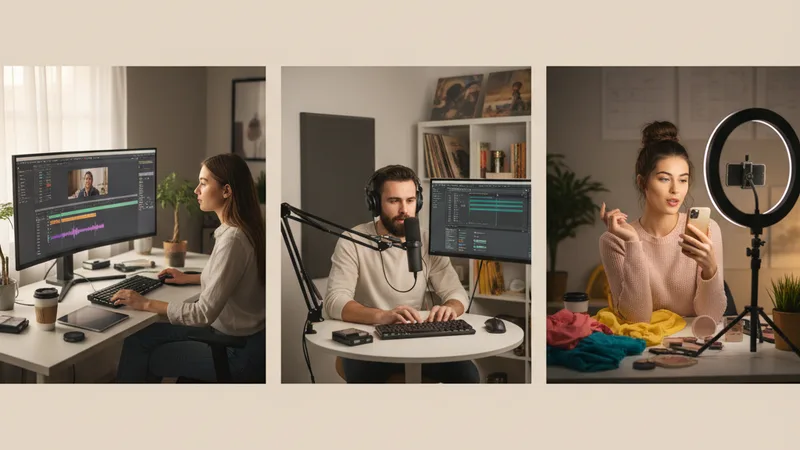
The decision varies significantly by creator category. Patterns from real client work over the last six months.
| Creator type | AI music | Stock library | Recommended stack |
|---|---|---|---|
| Podcaster — single show | AI for intros, outros, stings | Optional for SFX | Muziko Pro alone if no SFX needs |
| Podcaster — network with 10+ shows | AI for custom show identity | Stock for utility SFX and beds | Muziko Pro + Epidemic Sound |
| YouTuber — single channel | AI for intro and content beds | Stock for SFX | Muziko Pro + lighter stock plan |
| YouTuber — multi-channel network | AI for show identities | Stock for shared SFX and beds | Suno Pro + Epidemic Sound |
| Documentary filmmaker | Both for different scenes | Strong stock essential | Soundstripe + AI per project |
| Indie game developer | AI for in-game music | Stock SFX libraries | Suno Pro + indie SFX pack |
| TikTok and Reels creator | AI for unique sounds | Less needed | Muziko Pro alone |
| Brand content team | AI for brand cues | Library for breadth | Suno Pro + Epidemic Sound |
| Wedding videographer | AI for ceremony music | Library for reception edits | Muziko Pro + Artlist |
| Corporate explainer videos | AI for branded music | Library for utility | Either based on volume |
| Real estate listing videos | Mostly stock | Light AI for custom listings | Stock library focus |
| Course creator (paid courses) | AI for branded learning music | Stock for utility | Muziko Pro alone |
| Online ad agency | Both critical | Stock for volume | Suno Premier + Epidemic Sound |
| Music supervisor for film/TV | Stock for library breadth | AI for sketches | Soundstripe + AI sketching |
For specific genre-by-genre AI capability, see the AI lo-fi guide, AI EDM guide, and the other genre-specific articles for what AI handles well in each category.
Workflow comparison: time and effort per track

The day-to-day workflow differences matter as much as the cost analysis.
Stock library workflow:
- Open library in browser
- Search by mood, genre, tempo, length
- Listen to candidate tracks (typically 5-15 minutes of preview listening)
- Pick the closest match
- Download
- Edit in post to fit specific length and energy curve
Total time per track: 15-30 minutes including search and listening.
AI music workflow:
- Open AI music app
- Write or refine prompt (1-2 minutes)
- Generate (10-60 seconds)
- Listen and possibly regenerate (2-5 minutes across iterations)
- Save
Total time per track: 5-10 minutes average, sometimes less.
Time savings per project: A typical 10-track project saves 1-3 hours using AI versus stock. Over a year of regular content production, this can amount to 50-150 hours of time saved.
Quality consistency: Stock libraries deliver predictable quality. AI generates variable quality across takes; the best take is usually as good as stock, but the average take has more variability. The skilled AI music user knows to generate 4-6 takes and pick the strongest.
Edge cases where stock wins on workflow:
- Need 30 cues for a project this afternoon: stock library search is faster than AI iteration across 30 generations.
- Specific sound effect requirement (footsteps, weapons, ambient room tone): stock libraries dominate.
- Music for picture during a quick editor session: temp music from stock libraries works without prompt-craft time.
Edge cases where AI wins on workflow:
- Need an exact length (12 seconds, 90 seconds, 2:43): AI generates to length; stock requires edits.
- Need brand-unique identity: AI provides it; stock libraries cannot.
- Need to iterate during creative development: AI iterates in minutes; stock searches take longer.
For the specific podcast workflow, the AI podcast intro music guide covers the show-by-show production patterns.
Licensing and rights: what each license actually covers

The licensing edges are where decisions get specific. Stock libraries and AI music have different rights structures.
Stock library licensing (typical):
- Active subscription required for ongoing license.
- License covers use within the platforms/contexts specified (YouTube, podcasts, TV ads, etc.).
- Tier-based: personal vs commercial tiers differ on what platforms and audiences are covered.
- Some libraries allow continued use of already-published content if you cancel; others restrict.
- Generally non-exclusive — other creators are using the same tracks.
- Subject to platform Content ID matching (a track you legally licensed may match other creators' uploads if their license overlaps).
AI music licensing (paid commercial tiers):
- License attached to the track at generation. Cancel your subscription, tracks generated stay licensed.
- Most paid tiers grant commercial usage including monetized content, ads, podcasts, TV, and streaming distribution.
- Distribution platforms (Spotify, Apple Music, etc.) typically require AI content disclosure on uploads.
- Some apps prohibit prompting for specific living artists; staying generic with genre and instrument directions keeps you safe.
- No Content ID conflicts between different users of the same AI tool — each generation is unique.
- Stem export for DAW work depends on tier (Suno Premier offers it; most tiers do not).
Specific licensing edges that matter:
- Content ID matching: Stock library tracks can occasionally false-match other content on YouTube and trigger demonetization claims. AI tracks generated from individual prompts do not have this risk (each generation is unique).
- Distribution to streaming services: Stock music tracks generally cannot be uploaded to Spotify or Apple Music as your own releases. AI music on paid commercial tiers generally can (with AI disclosure).
- Use after subscription cancellation: This is the single biggest licensing gotcha for stock libraries. Many creators don't realize their license technically lapses on canceled accounts.
- Multi-use across projects: AI tracks can be reused across unlimited projects within your commercial license. Stock library tracks have varying multi-use policies.
For more on the legal landscape, the can you sell AI-generated music legal guide covers the foundational rights questions in detail.
Try the test for your specific workflow
The decision works best when grounded in your actual content production patterns. Score yourself on five questions.
1. How many custom cues do you generate per month?
- Fewer than 5: Stock library alone or AI alone, depending on cost preference.
- 5-20: AI saves time and money.
- 20+: AI is decisively faster and cheaper.
2. Do you need sound effects?
- Yes, regularly: Keep or add a stock library.
- Rarely: AI alone may suffice.
- Never: AI alone definitely suffices.
3. How important is brand-unique audio identity?
- Critical (flagship podcast, signature YouTube channel, brand content): AI for custom identity.
- Moderate: Mix of both.
- Low (utility content): Stock library suffices.
4. What is your monthly budget for music tools?
- Under $50/month: AI alone.
- $50-100/month: AI plus light stock plan.
- Over $100/month: Full stack of both makes sense.
5. How long is your typical track need?
- Specific lengths (12s, 30s, 90s, exact timings): AI is decisively faster.
- 2-3 minute tracks for background use: stock libraries supply this well.
- Mix: stack both.
Score your content production against the five questions. Most independent creators in 2026 end up on AI music plus a lighter stock library plan, replacing the heavier stock subscription. Larger teams and agencies tend to keep both at full strength.
In the next 12-18 months, expect AI music subscriptions to start adding curated libraries of professionally human-generated tracks alongside AI generation, which will likely compress this decision further. For the broader AI music app landscape, the best AI music app for iPhone 2026 top 10 ranking covers alternatives.
Frequently asked questions
Can AI music replace my Epidemic Sound or Artlist subscription?
Partly. AI music can replace the music portion of stock library subscriptions for most content creators in 2026 — at much lower cost ($34.99-288/year vs $240-360/year for stock libraries). However, stock libraries still beat AI on sound effects (creator-grade SFX libraries), library breadth for quick search-and-pick workflows, and certain niche genres AI handles inconsistently. Most creators in 2026 end up with a smaller stock library plan focused on SFX plus an AI music subscription for custom cues, rather than fully canceling stock or using stock alone. Test the AI music against your actual content production for 30 days before canceling stock to see what fits your workflow.
How much does AI music cost compared to stock music subscriptions?
AI music subscriptions are significantly cheaper than stock library subscriptions. Muziko Pro is $34.99/year, Suno Pro is $96/year, Udio Pro is $120/year, Suno Premier is $288/year. Stock library commercial tiers run $240-360/year — Epidemic Sound at $240/year, Artlist at $300/year, Soundstripe at $299/year. The cost gap is roughly 2-9x in favor of AI at the entry commercial tier. For creators who keep both (combined stack), expect $275-395/year total for AI plus stock. For creators using AI alone, $35-288/year depending on tier choice.
What do stock music libraries do better than AI music?
Sound effects libraries — Epidemic Sound and Soundstripe both offer 30,000+ professional SFX that AI music apps generally do not generate. Mature search and metadata for quick find-and-pick workflows when you know roughly what you want. Predictable per-track quality across thousands of professional human productions. Specific niches AI handles inconsistently — real bachata, baroque counterpoint, full orchestral works, virtuosic jazz, traditional regional music. Breadth for projects that need 30+ varied cues quickly. Library consistency across multi-creator teams who want similar production aesthetics. Sound design and ambient effects for film and game post-production.
What do AI music apps do better than stock music libraries?
Cue-specific generation tuned to your exact need (length, tempo, instrumentation, mood). Brand-unique sonic identity that no other creator has used. Spoken-word-context mastering for podcasts. Game-engine-tuned mastering for game audio. Specific lengths on demand (12s, 30s, 90s, exact timings). One-time licensing — generate the track, own the right to use it without ongoing subscription requirement. Iteration during creative development at minimal time cost. Per-cue cost that drops dramatically as you generate more. No Content ID conflicts between different AI users. Lower annual cost at every tier compared to stock libraries.
Do AI music tracks have Content ID issues like stock tracks sometimes do?
No. AI music tracks generated from individual prompts are unique generations — no other user has the exact same track even if they used a similar prompt. This eliminates the Content ID false-match problem that occasionally affects stock library users when their licensed track matches another creator's upload. The main risk with AI music for Content ID is the opposite: making sure your AI track is not too similar to copyrighted commercial music. Avoid prompting the AI to imitate specific living artists, and the Content ID risk is minimal. Always disclose AI content on uploads where platforms require it (most major platforms do in 2026).
Can I cancel my stock music subscription if I switch to AI music?
Yes, but understand the licensing implications first. Most stock libraries require an active subscription to maintain the license on content you have already published. Canceling Epidemic Sound, Artlist, or Soundstripe may technically lapse the license on your back catalog of published videos and podcasts. Some libraries grandfather already-published uses on cancellation; many do not. Read your library's specific cancellation policy before canceling. If your back catalog is significant, you may want to keep a minimal subscription open for the legacy content while using AI for all new content production. AI music tracks generated on paid commercial tiers do not have this subscription-lapse problem — the license attaches to the track at generation.
Try everything you just read about. Muziko is free to download.
![AI Amapiano Generator: Log Drum Tracks [Tested 2026]](/_next/image?url=%2Fimages%2Fblog%2Fai-amapiano-generator-log-drum-tracks%2Fhero.webp&w=3840&q=75)

![AI Cinematic Music Generator: Trailer Scores [Tested]](/_next/image?url=%2Fimages%2Fblog%2Fai-cinematic-music-generator-trailer-scores%2Fhero.webp&w=3840&q=75)