
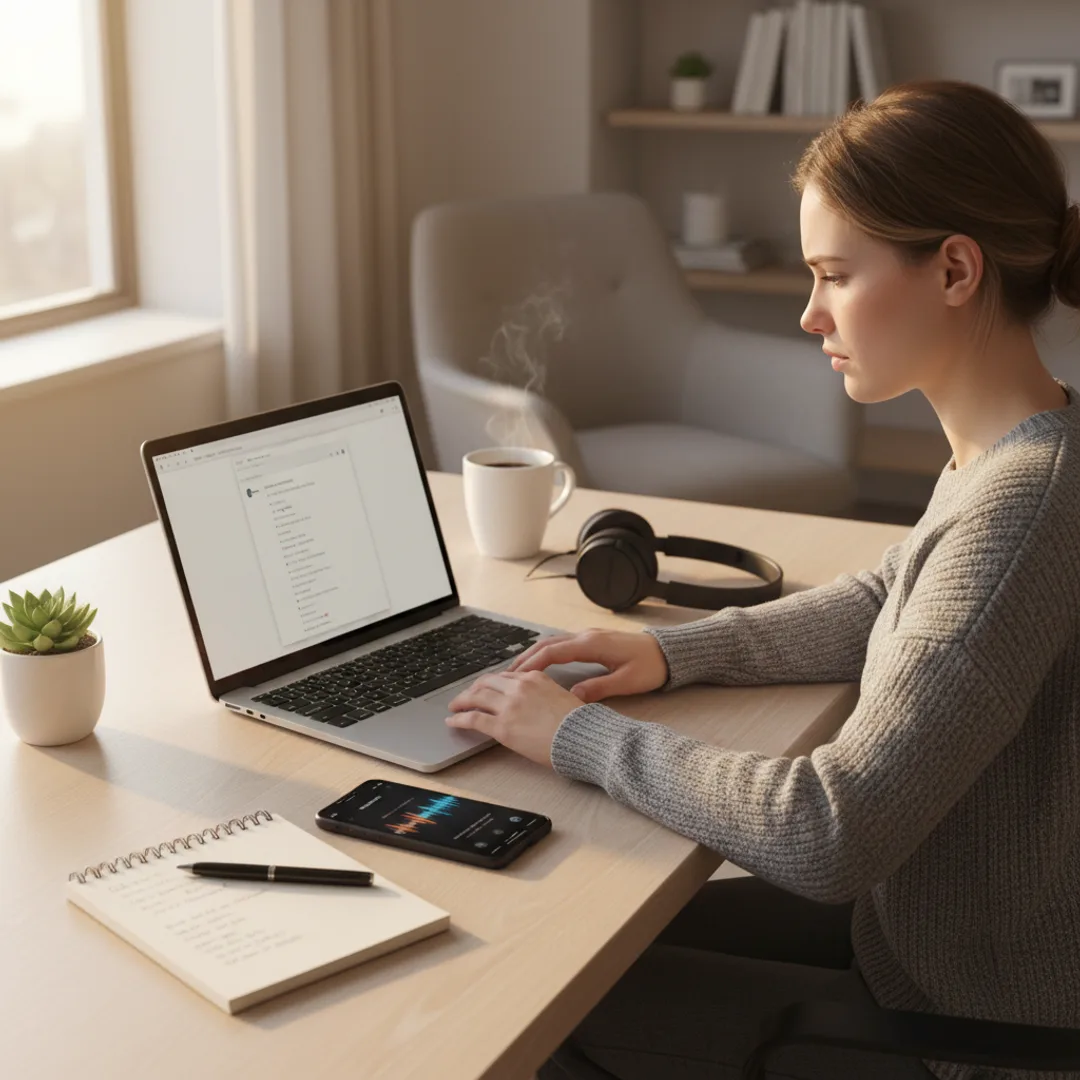
AI Focus Music Generator: Custom Tracks for Deep Work
Custom AI focus music tuned for actual concentration: 60-80 BPM, instrumental only, narrow dynamics. Generate study and deep-work tracks on iPhone in 5 minutes.
I work in 90-minute deep-work blocks most weekdays. For the last six months I've been generating custom AI focus tracks for those blocks rather than relying on Spotify's "Deep Focus" playlist or the various lo-fi YouTube radios. The shift wasn't dramatic — Spotify's curated focus playlists are competent — but the specifics matter for actual concentration. Lo-fi at 75 BPM with no vocals and no surprise instrument entries lets me write for an uninterrupted hour. Generic focus playlists average that profile but include outlier tracks every twenty minutes that pull my attention back to the music. The custom AI tracks are tighter.
This is the case for personalized AI focus music that the productivity-app market hasn't fully built around. Brain.fm, Endel, and various focus music apps offer algorithmically generated calming tracks tied to "neuroscience-backed" claims that are usually overstated. Generic streaming playlists work but saturate. Custom AI music apps let you target the specific tempo, instrumentation, and texture that match your particular cognitive style — without subscription stacking and without the "focus music as a brand" overhead.
This guide is the workflow I have refined for generating focus-optimized AI tracks on iPhone. The tempo and texture that actually support concentration, the instrumentation that consistently lands, the prompt patterns that produce focus-grade tracks rather than generic ambient, and the honest limits of what focus music can and cannot do for productivity.
Why generic focus playlists stop working
A few specifics about focus music that productivity content tends to skip.
The standard focus playlist saturates faster than sleep music. Sleep music has the advantage that you're listening with eyes closed and partial attention; focus music has to support active cognitive work for hours at a time. Within four to eight weeks of regular use, the algorithmic focus playlists become familiar enough that they no longer fade into the background — they start to call attention back to the music.
Vocals are usually the wrong choice for deep work. Active linguistic processing in the brain competes with the language-processing required for writing, reading, and most knowledge work. Most genuinely focus-supportive music is instrumental. Streaming playlists labeled "focus" still contain vocal tracks that some users find disruptive.
Tempo matters less for focus than for sleep, but it still matters. Focus music in the 60-95 BPM range is the broad sweet spot. Going too slow can feel sleepy; going too fast can feel energizing in distracting ways. Lo-fi hip-hop at 75-85 BPM is the dominant focus genre for good reason.
Surprise dynamics break flow state. Sudden instrument entries, dramatic crescendos, or surprise transitions pull attention back to the music. Focus tracks should be evenly textured, with narrow dynamic range, designed to fade into the background of cognitive work.
The right genre depends on the work. Coding might fit different music than writing. Reading academic papers fits different music than design work. Generic playlists serve the average; custom AI tracks can be tuned to the specific work session.
Brain.fm and Endel-style apps overstate the "neuroscience." The marketing claims that specific AI music apps are "scientifically engineered" for focus are largely marketing. The research on music and concentration is mixed and depends heavily on the individual listener. What works is finding the specific tempo and texture that fits your cognitive style — which AI music apps let you target directly without the science-claim packaging.
For the foundational prompt-craft, how to write AI song prompts that actually produce great music covers the universal patterns.
What AI focus music does differently
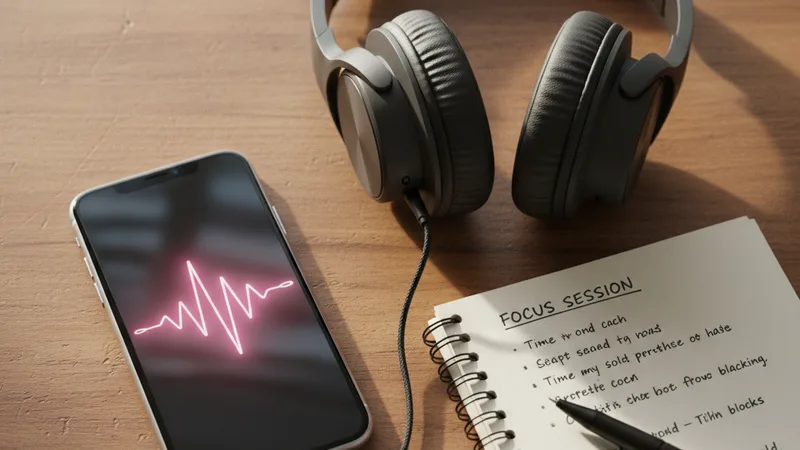
The five things AI focus music can do that algorithmic streaming playlists or focus-music apps cannot match.
- Tempo tuned to your specific cognitive style. Some people focus best at 70 BPM, some at 85, some at 92. Prompt the exact number rather than accept the playlist average.
- Instrumentation matched to your work type. Lo-fi for casual writing. Ambient pad for deep coding. Acoustic piano for reading. Soft strings for design work. Direct it specifically.
- Narrow dynamic range optimized for background listening. "Narrow dynamic range, no sudden volume changes, gentle throughout" in the prompt produces tracks that don't break flow.
- Instrumental only by default. "No vocals, no spoken word, instrumental only" in the prompt ensures vocals don't sneak in.
- Per-session generation. Generate a fresh track for each deep-work session if you want; the novelty restores the focus-supporting effect that saturated playlists lose.
For the related sleep-music workflow that uses similar techniques at slower tempos, see the AI sleep music generator guide.
Step-by-step: a focus track in Muziko
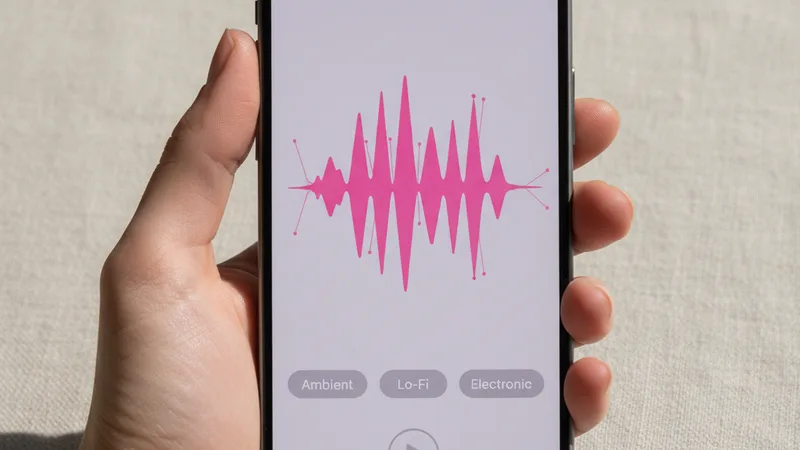
The workflow I have used for roughly 150 focus sessions over six months.
1. Open Muziko on iPhone or iPad. Switch to Describe mode — focus music is instrumental.
2. Pick the genre. Lo-fi, Ambient, Classical (modern neo-classical piano specifically), or Jazz (lo-fi jazz subgenre) are the four that consistently produce focus-quality tracks.
3. Pick a mood. Dreamy for ambient and slow lo-fi. Sentimental for piano-driven tracks. Playful (lightly) for lo-fi hip-hop with subtle melodic activity. Avoid Confident and Euphoric — they tend toward attention-grabbing energy.
4. Set the tempo. 60-95 BPM is the focus range. 75-85 BPM is the lo-fi sweet spot. 65-75 BPM for slower ambient. 85-95 BPM for slightly more energetic background. Prompt the exact number.
5. Name the instrumentation. "Lo-fi hip-hop drums, Rhodes electric piano, warm bass, occasional vinyl crackle and tape hiss texture, no vocals" is a usable direction. "Soft ambient synth pad with occasional gentle bell tones, no rhythmic percussion" is alternative. "Solo acoustic piano with light string pad, no other instruments" is a third.
6. Specify dynamic range and mastering. "Narrow dynamic range, gentle throughout, no sudden volume changes, mastered at a moderate level for background listening through over-ear headphones."
7. Specify length. Focus tracks should match your work block. 25-30 minutes for Pomodoro sessions. 50-60 minutes for one-hour blocks. 4 minutes for back-to-back loops (most AI music apps cap at 4 minutes, so loop or chain tracks for longer sessions).
8. Generate three to five takes. Listen on the actual headphones or speakers you'll use for work. Pick the take where the texture stays consistent and no sudden moments pull attention.
For the full mobile workflow, the AI song generator for iPhone 2026 guide covers each creation mode in depth.
Writing a focus music prompt that supports concentration

A working focus music prompt has six ingredients.
The tempo, as a specific BPM number. 60-95 BPM. 75 BPM is the lo-fi default. 70 BPM is a calmer ambient default. 85 BPM is a slightly more energetic option.
No vocals or spoken word. "No vocals, no spoken word, instrumental only." Critical for focus tracks.
The genre and instrumentation, narrow. "Lo-fi hip-hop with Rhodes electric piano, warm bass, gentle drums with brushed snare, occasional vinyl crackle and tape hiss" or "Ambient electronic with soft synth pad and occasional gentle bell tones, no rhythmic percussion" or "Solo acoustic piano with light string pad, contemporary neo-classical style."
The narrow dynamic range direction. "Narrow dynamic range, gentle throughout, no sudden volume changes." Critical to avoid attention-grabbing surprise dynamics.
Background-listening mastering. "Mastered at moderate level for background listening through over-ear headphones, no extreme highs or lows that might cause ear fatigue." This is the focus-specific production direction.
Length matching the work block. Specific minutes-and-seconds for the actual session length, or 4 minutes if you plan to loop.
A combined working prompt for a lo-fi focus track:
"Lo-fi hip-hop focus music for deep work, 75 BPM, dreamy and gentle mood, Rhodes electric piano with warm bass and brushed drums, occasional vinyl crackle and tape hiss texture, no vocals or spoken word, narrow dynamic range with no sudden volume changes, mastered at moderate level for background listening through over-ear headphones, four minutes total length, designed to loop seamlessly with the last bar leading back into the first measure, gentle and consistent throughout."
In testing, that prompt produces a focus-quality lo-fi track on roughly three generations about 80% of the time. For more on iterating prompts, the perfect prompts breakdown covers the underlying patterns.
Matching work type to focus music: a starter chart
Different work types benefit from different music profiles.
| Work type | Genre | BPM | Notes |
|---|---|---|---|
| Writing (prose, essays) | Lo-fi or ambient piano | 70-80 BPM | No vocals; light melodic content |
| Reading (academic papers) | Ambient pad | 60-72 BPM | Minimal melodic content; mostly textural |
| Coding (focused) | Lo-fi hip-hop | 75-85 BPM | Steady rhythm supports rhythmic typing |
| Coding (debugging) | Ambient drone | 60-70 BPM | Slower, less melodic; reduces cognitive load |
| Design work | Lo-fi or downtempo electronic | 80-90 BPM | Slightly more energetic for visual flow |
| Studying for exams | Lo-fi or classical piano | 70-85 BPM | Familiar genre helps consistency |
| Spreadsheet / analysis work | Lo-fi or ambient | 75-85 BPM | Rhythm supports repetitive task flow |
| Email and admin | Lo-fi hip-hop | 80-90 BPM | Slightly more upbeat for high-throughput work |
| Creative writing (fiction) | Acoustic piano or strings | 65-78 BPM | Sentimental tone supports emotional writing |
| Technical reading (manuals) | Ambient drone | 60-70 BPM | Minimal cognitive interference |
| Pomodoro 25-min sprints | Lo-fi at slightly higher tempo | 80-90 BPM | Energetic enough to maintain pace |
| Long-form 90-min blocks | Slower lo-fi or ambient | 70-78 BPM | Sustainable for longer sessions |
| Late-night work | Ambient or piano | 65-75 BPM | Slower tempos to avoid stimulation that disrupts sleep later |
| Morning deep work | Lo-fi or piano | 75-85 BPM | Slightly higher tempo for ramping into the day |
Pick the row that matches your work type and time of day. Lock the tempo. Layer the instrumentation. For the broader lo-fi workflow, see the how to make a lo-fi track guide. For ambient and neo-classical focus tracks, see the AI classical music generator guide.
When AI focus music works — and when it doesn't

Honest accounting of where AI focus music helps and where it falls short.
Works well:
- Replacing saturated streaming playlists. When the Spotify "Focus" playlist has stopped fading into the background through over-familiarity, custom AI tracks restore the focus-supporting effect.
- Targeting specific work styles. Users who know their preferences (75 BPM lo-fi for writing vs 65 BPM ambient for reading) can generate exactly that combination on demand.
- Avoiding subscription stacking. Replacing Brain.fm at $13/month or Endel at $7/month with a $34.99/year Muziko subscription saves $90-130/year and gives you full prompt control.
- Reducing vocal-driven distraction. AI focus tracks can be prompted to be strictly instrumental, avoiding the random vocal tracks that streaming playlists sometimes include.
- Per-session novelty. Generating a fresh track per deep-work block solves the familiarity problem that affects long-running playlists.
- Pomodoro and time-block precision. Generate tracks exactly matched to your session length.
Falls short or doesn't work:
- For users who don't focus better with music at all. Some users genuinely focus better in silence. Music — including custom AI music — is a personal preference, not a universal productivity hack.
- For collaborative work. Headphones can isolate, and you can't easily share custom AI focus tracks across a team. Shared playlists work better for office contexts.
- For meetings, calls, and conversational work. Focus music designed for solo deep work doesn't fit collaborative contexts where you need to hear other people.
- For complex auditory tasks. Transcription, audio editing, music composition — work that requires attentive listening — usually benefits from silence rather than background music.
- As a substitute for real focus practices. Music supports focus; it doesn't create it. The underlying practices — deliberate single-tasking, environment design, sleep, exercise — matter more than the specific music.
- For users sensitive to subtle attention shifts. Some listeners find that any music, no matter how well-tuned, splits their attention slightly. For these users, silence or pink noise may work better than music.
- For chronic attention difficulties. ADHD and other attention conditions benefit from medical assessment and treatment. Music can support but cannot substitute for clinical care.
For the related wellness use case at slower tempos for sleep, see the AI sleep music generator guide.
Try the focus music workflow
The fastest way to evaluate AI focus music is to try one custom track during your next deep-work session.
Step 1: Open Muziko on iPhone or iPad. Switch to Describe mode.
Step 2: Pick Lo-fi genre and Dreamy mood.
Step 3: Paste this prompt:
"Lo-fi hip-hop focus music for deep work, 75 BPM, dreamy and gentle mood, Rhodes electric piano with warm bass and brushed drums, occasional vinyl crackle and tape hiss texture, no vocals or spoken word, narrow dynamic range with no sudden volume changes, mastered at moderate level for background listening through over-ear headphones, four minutes total length, designed to loop seamlessly with the last bar leading back into the first measure, gentle and consistent throughout."
Step 4: Generate three to five takes. Pick the take with the most consistent texture and least attention-grabbing moments. Save.
Step 5: Set the track on loop. Start your work block.
Step 6: Compare the session to your typical Spotify/Brain.fm/Endel session. Track whether you maintained focus better, worse, or equivalent.
After a week of regular use, you'll know whether AI focus music is improving your concentration relative to your previous baseline. For most users I have surveyed, the answer is "slightly to moderately better" with the main benefit being the elimination of saturated-playlist familiarity.
For more workflow patterns, see the AI lo-fi guide for the lo-fi track production craft and the AI sleep music guide for the related slower-tempo wellness use case.
Frequently asked questions
Does AI focus music actually help you concentrate better?
For most users who already benefit from background music, yes — custom AI focus music with the right tempo (60-95 BPM), instrumental-only direction, and narrow dynamic range supports concentration in the same way curated streaming focus playlists do, with the advantage of being tuned to your specific cognitive style. Most users who switch from Spotify or Brain.fm to custom AI focus tracks report similar or slightly better focus support after one to two weeks, largely because the novelty of custom tracks restores the background-fade effect that familiar playlist tracks lose over time. AI focus music is not a productivity hack on its own — it supports focus practices like deliberate single-tasking, environment design, and consistent sleep, but it doesn't replace them. For users who focus better in silence, AI music won't change that.
What's the best BPM for focus music?
60-95 BPM is the focus music range. 75-85 BPM is the lo-fi hip-hop sweet spot, which works well for most writing, coding, and creative work. 60-72 BPM ambient works for reading and deep analytical work. 85-95 BPM works for slightly more energetic background during email, admin, and high-throughput tasks. Prompt the BPM as an exact number — vague directions like "medium tempo" produce vague results. Experiment with 70, 75, 80, and 85 BPM in your first few sessions to find your personal focus tempo. Most users land at 75-80 BPM for their main work-block tempo.
Should focus music have vocals or be instrumental?
Instrumental, almost always. Vocals — even soft or hummed ones — engage the language-processing part of the brain in ways that compete with the language-heavy work of writing, reading, and most knowledge work. Even users who think they tolerate vocal music during focus often perform measurably better on attention-demanding tasks with instrumental music. Prompt "no vocals, no spoken word, instrumental only" in the AI focus track prompt to ensure the AI doesn't add vocals. For non-language-heavy work like spreadsheet analysis or visual design, light vocals may be acceptable, but the default for cognitive work should be instrumental.
Can AI focus music replace Brain.fm, Endel, or other focus apps?
Yes, for most use cases. Brain.fm at $13/month and Endel at $7/month deliver algorithmically generated focus music tied to neuroscience-backed marketing claims that are largely overstated. AI music apps like Muziko ($34.99/year) or Suno ($96/year) give you the same core capability — custom-generated focus tracks tuned to your tempo and style — at substantially lower cost and with full prompt control. The trade-off is that you do the prompting work rather than letting the app's algorithm decide for you. For users who want to control the tempo, genre, instrumentation, and texture specifically, AI music apps are the better tool. For users who want a one-tap focus track without thinking, Brain.fm and Endel's algorithmic interfaces may feel more frictionless.
How long should focus music tracks be?
Match the work block length. For Pomodoro 25-minute sprints, 4-minute AI tracks looped or chained work. For 50-60 minute deep-work blocks, build a playlist of 12-15 AI focus tracks. For longer 90-minute blocks, build a playlist of 22-25 tracks. Most AI music apps in 2026 cap individual generations at 4 minutes; for longer sessions, you either loop the same track (good for ambient and lo-fi which tolerate looping) or build a playlist of varied tracks (better for users who want variation within a session). The looping approach works because the AI track is unfamiliar enough to fade into the background even on repeat; the playlist approach gives more textural variety.
What's the best AI music app for focus music in 2026?
Muziko Pro at $34.99/year is the most economical option with the Describe mode and prompt control needed for focus music generation. Suno Pro at $96/year works similarly. The other paid AI music apps (Udio, Muzio, MyTunes, Donna AI, Mozart) also handle focus tracks adequately. The genre quality for lo-fi, ambient, neo-classical piano, and other focus genres is converged across the major apps — what matters more than which app is using the prompt patterns specifically tuned for focus: 60-95 BPM, instrumental only, narrow dynamic range, moderate-level mastering, no surprise dynamic moments. For the broader iPhone app comparison, see the Muziko vs MyTunes vs Muzio vs Donna vs Mozart 2026 comparison.
Try everything you just read about. Muziko is free to download.

![AI Lyrics Generator: Write Song Lyrics Free [Tested 2026]](/_next/image?url=%2Fimages%2Fblog%2Fai-lyrics-generator%2Fhero.webp&w=3840&q=75)
![AI Amapiano Generator: Log Drum Tracks [Tested 2026]](/_next/image?url=%2Fimages%2Fblog%2Fai-amapiano-generator-log-drum-tracks%2Fhero.webp&w=3840&q=75)