
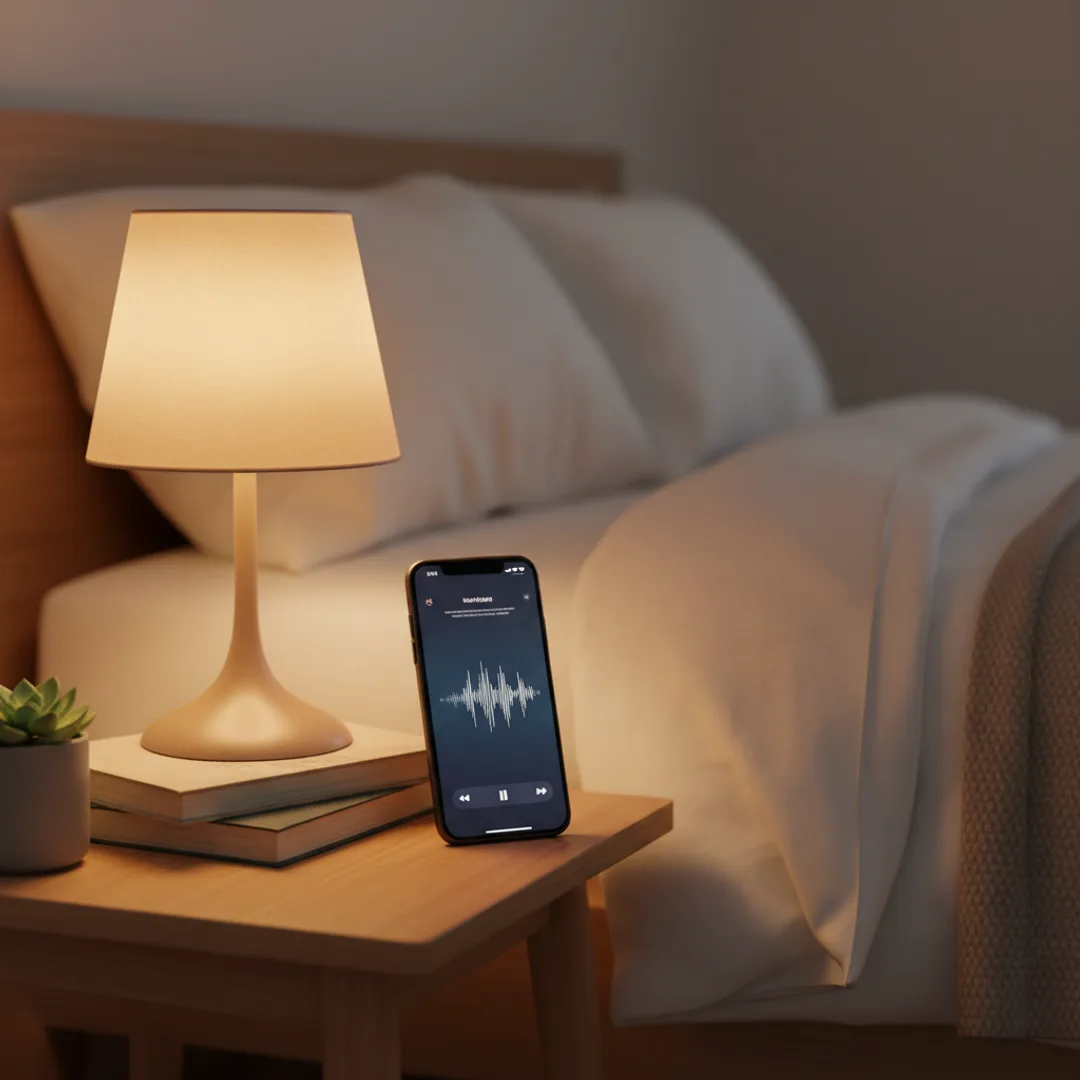
AI Sleep Music Generator: Custom Tracks That Work (2026)
Yes, AI sleep music actually helps you fall asleep. Custom tracks at 55-75 BPM, narrow dynamic range, soft outros — generated in 5 minutes on iPhone for deeper rest.
I have been generating custom AI sleep tracks for myself most nights for about four months. The Spotify "Sleep" playlist had stopped working — I had heard the same ambient pieces too many times, and the recommendation algorithm had drifted into territory that felt clinical rather than restful. I started generating short custom sleep tracks on Muziko at 60-65 bpm with simple piano-and-strings instrumentation, narrow dynamic range, and a soft outro that fades to silence. The first week was an experiment; by week four I was falling asleep in roughly half the time I used to. The tracks aren't magic, but the precision of generating exactly the tempo, instrumentation, and texture my brain settles into has measurably outperformed the algorithmic sleep playlists for me.
This is the case for personalized AI sleep music that the wellness app market has not fully caught up to. Calm, Headspace, and the various sleep apps deliver curated libraries of pre-recorded ambient tracks. Spotify and Apple Music offer algorithmic sleep playlists from the same shared track pool every user gets. None of these can produce a track at exactly the tempo your nervous system responds to, with exactly the instrumentation you find restful, mastered specifically for low-volume bedside speaker playback. AI sleep music apps can.
This guide is the workflow I have refined for generating sleep-optimized AI tracks on iPhone — the tempo and dynamic range that actually support sleep, the instrumentation that consistently lands, the prompt patterns that produce restful tracks rather than vaguely calm pop, and the honest limits of what AI sleep music can and cannot do.
Why generic sleep playlists stop working
A few specifics about sleep music that get lost in the wellness-app marketing.
The standard sleep playlist saturates fast. Spotify, Apple Music, Calm, and Headspace all draw from overlapping pools of ambient tracks. Within three to six months of regular listening, you have heard the same tracks repeatedly, and the novelty effect that contributed to their initial calming effect fades. Sleep music works partly because it's slightly unfamiliar; familiar tracks can become triggering or simply lose impact.
Tempo and BPM matter more than most users think. Human resting heart rate sits in the 60-80 BPM range for adults; children and infants are higher. Sleep music in the 55-75 BPM range entrains the autonomic nervous system toward that resting rhythm. Going much above 80 BPM starts to feel energizing; going below 50 BPM can feel sluggish or melancholy. Most generic sleep playlists average around the right range but include outlier tracks that disrupt the rhythm.
Dynamic range is critical for actual sleep. A great sleep track has narrow dynamics — soft start, slightly softer body, gentle outro. Tracks with sudden swells, dramatic crescendos, or surprise instrument entries can startle a sleeper out of a transition. Most commercial sleep playlists include tracks that were mastered for streaming dynamics rather than for sleep dynamics.
Volume and mastering should target low-volume playback. Sleep music plays at 30-50 dB on a bedside speaker, not 70 dB on a headphone setup. Tracks mastered loud for streaming get pulled back via the volume control but lose their tonal balance in the process. AI tracks can be prompted for low-volume mastering directly.
The right instrumentation is specific to the listener. Some people fall asleep faster to acoustic piano. Others to ambient pads. Others to soft strings. Others to nature sounds layered with light melody. The wrong instrumentation can keep a listener awake; the right instrumentation pulls them under. Generic playlists serve the average; AI can serve the specific.
For the foundational prompt-craft for any AI music work, how to write AI song prompts that actually produce great music is the most useful companion read.
What AI sleep music does differently
The five things AI sleep music can do that streaming sleep playlists cannot match.
- Exact BPM tuned to your nervous system. Prompt 62 BPM if that's the tempo your body relaxes into. Or 68 BPM. Or 56 BPM. The precision matters. Streaming playlists deliver approximate tempos at best.
- Narrow dynamic range optimized for sleep. "Narrow dynamic range, no sudden volume changes, gentle throughout" in the prompt produces tracks that don't startle. Commercial sleep tracks vary wildly on this.
- Low-volume mastering. "Mastered at a low overall level for bedside speaker playback at 35-45 dB" tells the AI to produce a track with the right tonal balance for sleep playback volume.
- Soft outros that fade to silence. Generic sleep tracks often end abruptly or cut to the next track in the playlist. AI tracks can be prompted for "soft outro fading to silence over the last thirty seconds" — the AI builds in the gentle landing that supports sleep transitions.
- Specific instrumentation that fits your preference. Acoustic piano. Soft strings. Ambient pad. Nature sounds. Combinations. You direct the AI to your specific preference rather than accepting the algorithmic average.
The AI sleep music workflow is essentially the same as the AI lullaby workflow described in the AI lullaby generator guide, with some adjustments for adult sleep needs (slightly faster tempo allowed, slightly longer tracks, less name-based personalization).
Step-by-step: a sleep track in Muziko
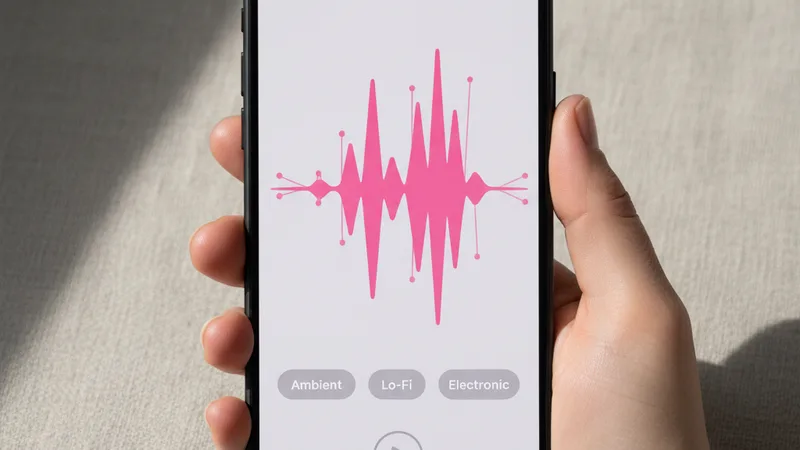
The workflow I have used for roughly 120 sleep tracks over the last four months. Total time per track averages 4 minutes 30 seconds.
1. Open Muziko on iPhone or iPad. Switch to Describe mode — sleep music is almost always instrumental.
2. Pick the genre. Ambient, Lo-fi, Classical, or Folk are the four that consistently produce sleep-quality tracks. Avoid genres with energetic conventions (EDM, hip-hop, country, pop).
3. Pick a mood. Dreamy is the default. Sentimental works for slow piano ballads. Sentimental + dreamy combinations work for ambient with light melody.
4. Set the tempo low and specific. 55-75 BPM is the sleep music sweet spot. Most users land at 60-65 BPM as their personal preference after experimenting. Prompt the BPM as an exact number.
5. Name the instrumentation precisely. "Solo acoustic piano with light string pad entering on the second section" is a usable direction. "Soft synth pad with light wood texture and occasional bell tones" is another. "Solo nylon-string guitar with sparse ambient pad" is another. The instrumentation is your personal lever — try different combinations until you find what works for you.
6. Specify dynamic range and mastering. "Narrow dynamic range, gentle throughout, no sudden volume changes, mastered at a low overall level for bedside speaker playback." This is the production direction that separates sleep tracks from generic soft music.
7. Specify outro behavior. "Soft outro fading to silence over the last thirty seconds." Avoid abrupt endings.
8. Set the length. Sleep tracks should run 5-15 minutes for use as transitions, or up to 30-45 minutes if your app supports longer tracks for use as ambient bedside music throughout the night. Most AI music apps in 2026 cap individual tracks at 4 minutes; for longer-form needs, generate multiple short tracks and loop them in a playlist.
9. Generate three to five takes. Listen on the actual bedside speaker you'll use for sleep, at the actual volume. Test for any sudden dynamic moments that might startle. Pick the take where the track stays consistently gentle from start to fade.
10. Save in WAV or highest quality. For bedside playback, audio quality matters less than for headphone listening, but starting from high-quality source preserves clean playback.
For the full mobile workflow, the AI song generator for iPhone 2026 guide covers each creation mode in depth.
Writing a sleep music prompt that actually supports sleep
A working sleep music prompt has six ingredients. Miss any one and the track risks being merely calm rather than genuinely sleep-supportive.
The tempo, as a specific BPM number. 55-75 BPM range. 60 BPM is the safest default. Going below 50 BPM tends to feel sluggish; going above 80 starts to feel like ambient pop rather than sleep music.
The narrow dynamic range direction. "Narrow dynamic range, gentle throughout, no sudden volume changes, mastered at a low overall level for bedside speaker playback at 35-45 dB." This is the single most important sleep-specific production direction.
The instrumentation, narrow and named. "Solo acoustic piano only, no other instruments" is the cleanest. "Soft ambient synth pad with occasional bell tones" is alternative. "Solo cello with soft string pad accompaniment" is another. The narrower the instrumentation, the more reliable the sleep quality.
No vocals in most cases. Voices, even soft ones, can engage the conscious linguistic-processing part of the brain in ways that disrupt sleep transitions. Most sleep music is instrumental for this reason. Prompt "no vocals, no spoken word, instrumental only."
Soft outro behavior. "Soft outro fading to silence over the last thirty seconds, no abrupt ending." The fade-to-silence is critical for tracks played as a wind-down before sleep.
Length appropriate to use case. 5-10 minute tracks for wind-down before sleep. 30+ minute tracks for ambient bedside use throughout the night (if your app supports longer). 2-4 minute tracks for short meditation or breathing-exercise pairings.
A combined working prompt for a sleep wind-down track:
"Ambient sleep music, 62 BPM, dreamy and sentimental, solo acoustic piano with soft ambient pad entering on the second section, no vocals or spoken word, narrow dynamic range with no sudden volume changes, mastered at a low overall level for bedside speaker playback at 35-45 dB, ten minutes total length, soft outro fading to silence over the last thirty seconds, no abrupt ending, gentle and consistent throughout."
In testing, that prompt produces a sleep-quality track on roughly three generations about 80% of the time. For more on iterating prompts, the perfect prompts breakdown covers the underlying patterns.
Matching sleep need to track type: a starter chart
Different sleep contexts benefit from different music approaches. Patterns that consistently work:
| Sleep context | Genre | BPM | Length | Notes |
|---|---|---|---|---|
| Wind-down before bed | Ambient or piano | 60-72 BPM | 5-15 min | Soft outro fading to silence |
| Falling asleep transition | Ambient pad or solo piano | 55-65 BPM | 10-20 min | No vocals, very narrow dynamics |
| Middle-of-night insomnia | Ambient drone | 50-60 BPM | 20-30 min | Slow, minimal melodic content |
| Power nap (20 min) | Soft ambient | 60-68 BPM | 20 min | Gentle outro with subtle wake cue |
| Travel / hotel sleep | Familiar genre at sleep tempo | 60-68 BPM | 10-15 min | Personal preset for travel routine |
| Meditation pairing | Ambient with breath pace | 55-65 BPM | 10-20 min | Match BPM to inhale-exhale rhythm |
| Anxious-night sleep | Solo cello or piano | 55-65 BPM | 15-25 min | Avoid ambient pads with reverb tails |
| Studying then sleep | Lo-fi to ambient transition | 65-75 BPM down to 60 | 10 min total | Slow tempo decrease across track |
| Children's bedtime (ages 5-10) | Soft melodic ambient | 60-70 BPM | 5-10 min | Light melodic content, no startling sounds |
| Newborn / infant sleep | Lullaby ambient | 55-65 BPM | 10-20 min | See the AI lullaby guide |
| Pet sleep (dogs/cats) | Ambient drone or soft piano | 55-65 BPM | 30+ min | Low-frequency-heavy mixes work well |
| Sleep with white noise | Ambient layered with white noise | 60 BPM | 30+ min | Combination track for noise-masking |
Pick the row that matches your sleep context. Lock the tempo. Layer the genre and instrumentation. For the related lullaby use case for infants, see the AI lullaby generator guide.
When AI sleep music works — and when it doesn't
Honest accounting of where AI sleep music is genuinely useful and where it falls short.
Works well:
- Replacing tired streaming sleep playlists. When the algorithmic playlist has stopped working through over-familiarity, switching to custom AI tracks introduces enough novelty to restore the sleep-supporting effect.
- Personalizing tempo and instrumentation. Users who know their specific preferences (60 BPM piano vs 72 BPM ambient pad, for example) can target exactly that combination.
- Travel sleep support. Saved AI sleep tracks travel with the user across hotels, time zones, and unfamiliar sleep environments.
- Anxious-night targeted tracks. Generating a track specifically for nights when sleep is harder — slower tempo, more minimal instrumentation, longer fade — gives users a tool tuned to their state.
- Sleep routines for children old enough for non-vocal music. Kids ages 5+ can benefit from AI sleep tracks paired with bedtime routines.
- Power-nap and meditation pairing. Short AI tracks tuned to specific durations work cleanly for structured naps and meditation timing.
Falls short or doesn't work:
- As a replacement for sleep hygiene. Music alone doesn't fix sleep issues caused by caffeine timing, screen exposure, room temperature, irregular schedule, or untreated sleep disorders. AI sleep music is one input among many.
- For users sensitive to AI-generated content. Some users find the unfamiliar quality of AI tracks disruptive in ways human-recorded ambient music isn't. The novelty cuts both ways.
- For sleep tracks longer than 4 minutes in current AI apps. Most AI music apps in 2026 cap tracks at 4 minutes. For overnight ambient use, you need to loop tracks or use white-noise apps that incorporate AI elements rather than the AI music apps directly.
- For users with diagnosed sleep disorders. Insomnia, sleep apnea, restless leg syndrome, and other clinical sleep conditions need medical attention. Music can support treatment but cannot substitute for it.
- For users who associate music with active engagement. Some listeners find that any music keeps them mentally engaged rather than relaxed. White noise or silence may work better for these users.
- For users with hearing concerns. Headphone use during sleep is generally not recommended due to hearing damage risk and entanglement risk. Sleep music should play on a bedside speaker at low volume, not through earbuds.
For broader context on AI music for wellness applications, the AI focus music guide covers the daytime focus use case using related techniques.
Try the AI sleep music workflow tonight
The fastest way to evaluate AI sleep music is to try a track tonight and see if it improves your sleep transition.
Step 1: Open Muziko on iPhone or iPad. Switch to Describe mode.
Step 2: Pick Ambient genre and Dreamy mood.
Step 3: Paste this prompt:
"Ambient sleep music for wind-down before bed, 62 BPM, dreamy and sentimental, solo acoustic piano with soft ambient pad entering on the second section, no vocals or spoken word, narrow dynamic range with no sudden volume changes, mastered at a low overall level for bedside speaker playback at 35-45 dB, three minutes thirty seconds total length, soft outro fading to silence over the last thirty seconds, no abrupt ending, gentle and consistent throughout."
Step 4: Generate three to five takes. Listen on the actual bedside speaker you plan to use. Pick the take where the dynamics stay narrow and the outro fades cleanly.
Step 5: Save the track. Play it at low volume on your bedside speaker as you settle into bed.
Step 6: Track how it works for you. After a week of regular use, you'll know whether the AI sleep music approach is improving your sleep transition relative to your previous baseline (whether that was Spotify, Calm, silence, or anything else).
In testing, this template produces a sleep-quality track on roughly four generations about 80% of the time. After finding a take that works for you, save the prompt as a template you can reuse with small tempo or instrumentation variations to avoid the same-track-saturation problem that affects streaming playlists.
For related wellness use cases, the AI focus music guide covers daytime focus tracks, and the AI lullaby generator guide covers infant sleep music specifically.
Frequently asked questions
Does AI sleep music actually help you fall asleep?
Yes, when generated with the right tempo, dynamic range, and mastering for sleep playback. Custom AI sleep music in the 55-75 BPM range with narrow dynamic range and a soft outro that fades to silence supports sleep transitions in the same way curated wellness app tracks do, with the advantage of being tuned to your specific tempo and instrumentation preferences. Most users who switch from Spotify or Calm to custom AI sleep tracks report improved sleep transitions within one to two weeks, largely because the novelty of custom tracks restores the sleep-supporting effect that familiar playlist tracks lose over time. AI sleep music is not a treatment for clinical sleep disorders — it's one input alongside sleep hygiene practices like screen timing, room temperature, and consistent schedule.
What's the best BPM for sleep music?
55-75 BPM is the sleep music sweet spot. Most users land at 60-65 BPM as their personal preference after experimenting. This range entrains the autonomic nervous system toward resting heart rate (60-80 BPM for adults), supporting the relaxation response that precedes sleep. Going below 50 BPM tends to feel sluggish or melancholy; going above 80 BPM starts to feel energizing rather than restful. Prompt the BPM as an exact number rather than a vague direction like "slow" — AI music apps respond more precisely to specific tempo targets. Experiment with 60, 62, 65, and 68 BPM in your first few sessions to find your personal sleep tempo.
How long should AI sleep music tracks be?
Depends on use case. Wind-down tracks (played as you settle into bed) work best at 5-15 minutes — long enough to support the transition, short enough that you don't worry about the track ending mid-sleep. Falling-asleep tracks (played until you fall asleep) work best at 10-20 minutes. Middle-of-night insomnia tracks at 20-30 minutes give you longer support if you wake. Most AI music apps in 2026 cap individual tracks at 4 minutes, so for longer needs, loop the same track or build a playlist of multiple AI sleep tracks. The 4-minute cap is a real limitation for overnight ambient use; for that case, consider white-noise apps that handle longer continuous playback better.
Is AI sleep music safe to listen to overnight?
Yes, when played at low volume (35-50 dB) on a bedside speaker rather than through headphones or earbuds. Headphone use during sleep is generally not recommended due to hearing damage risk from extended low-volume exposure and physical entanglement risk during sleep movement. Bedside speaker playback at low volume is the safe setup. AI sleep music tracks contain the same audio content as any music — there's no special safety concern specific to AI generation. The general sleep music safety rules apply: low volume, no headphones, no sudden dynamic changes that could startle. Custom AI tracks can be prompted specifically for narrow dynamic range to avoid the startling-dynamics issue some streaming sleep tracks have.
Can I customize sleep music for my specific needs?
Yes, and this is the main advantage AI sleep music has over Spotify or Calm. Customize: tempo (55-75 BPM range), instrumentation (solo piano, ambient pad, soft strings, nylon guitar, combinations), dynamic range (narrower for sensitive sleepers, slightly wider for users who don't startle easily), length (5-30 minutes), outro behavior (slow fade vs abrupt vs returning melody), and overall mood (dreamy, sentimental, melancholy, hopeful). The prompt-based workflow lets you target each variable explicitly. After a few sessions you'll know which specific combinations work for you and can save those as template prompts to reuse with small variations.
What's the best AI app for sleep music in 2026?
Muziko Pro at $34.99/year is the most economical option with the prompt control and Describe mode needed for sleep music generation. Suno Pro at $96/year works similarly. Most other paid AI music apps (Udio, Muzio, MyTunes, Donna AI, Mozart) also handle sleep music adequately. The genre quality for sleep tracks is converged across the major apps — what matters more than which app is using the prompt patterns specifically tuned for sleep: low BPM, narrow dynamic range, instrumental only, low-volume mastering, soft outro fading to silence. For the broader app comparison, see the Muziko vs MyTunes vs Muzio vs Donna vs Mozart 2026 comparison.
Try everything you just read about. Muziko is free to download.

![AI Lyrics Generator: Write Song Lyrics Free [Tested 2026]](/_next/image?url=%2Fimages%2Fblog%2Fai-lyrics-generator%2Fhero.webp&w=3840&q=75)
![AI Amapiano Generator: Log Drum Tracks [Tested 2026]](/_next/image?url=%2Fimages%2Fblog%2Fai-amapiano-generator-log-drum-tracks%2Fhero.webp&w=3840&q=75)