

How to Extract Stems from AI Music (Vocal Separation)
Get separated vocals, drums, bass, and instrumental stems from AI-generated music. Compare native stem export apps and external tools like Moises and LALAL.AI. Workflows for producers and remixers.
A producer friend of mine has been generating AI tracks for client demos for the last six months. About a third of the tracks he generates land well enough that the client asks for a custom remix — and the remix workflow needs stems, not a finished mix. The first time he tried to remix an AI-generated track, he ran into the central limitation of most AI music apps: they export the finished mix as a single audio file, not as separated stems. The vocals, drums, bass, and other instruments are baked together into one WAV file. Without stems, the remix possibilities are limited. With stems, you can swap the vocal, change the drum pattern, layer in new elements, or re-master with a different tonal balance.
This is the case for stem extraction from AI music that has become a real workflow question through 2025-2026. The category has split into two paths. Some AI music apps now export stems natively as a paid-tier feature. For apps that don't, external stem-separation tools (Moises, LALAL.AI, Spleeter, Demucs) can split a finished mix into approximate stems after the fact. Quality varies between native export and post-hoc separation, and the right path depends on the app you're using and the production work you're doing.
This guide is the workflow I have refined across about twenty stem-extraction tests over the last six months. Which AI music apps support native stem export, how external stem separation tools compare on quality, the step-by-step from generated track to usable stems in a DAW, and where stem extraction is worth the time versus where the mixed track is enough.
What stems are and why producers want them
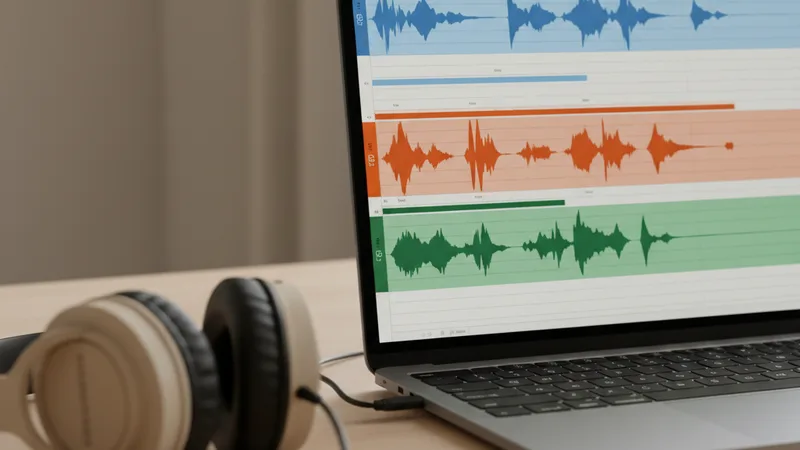
A few specifics about stems that producers take for granted but most casual users don't think about.
Stems are the individual sound layers of a song before they're mixed together. A typical pop song has stems for lead vocal, backing vocal harmonies, kick drum, snare, hi-hats, bass, lead synth, pad synth, guitar, and other elements. The producer mixes these separately, then bounces them down to a finished stereo file.
Most AI music apps deliver only the finished bounced file. When you generate a track in Muziko, Suno Pro, MyTunes, Donna AI, or most other apps, the deliverable is a single stereo WAV or MP3 file with all elements pre-mixed and pre-mastered. The producer cannot directly manipulate the vocal or the drums independently because they're locked together in the mix.
Stems unlock remix, layered production, and creative re-use. With stems you can: remove the vocal to create an instrumental version, swap the AI vocal for a live recorded vocal, layer in additional production elements without conflicting with existing ones, re-master with different tonal balance, create extended versions, build live performance backing tracks. Without stems, all of this is difficult or impossible.
Stems matter most for serious production workflows. Casual users generating a birthday song or a podcast intro don't need stems. Producers building tracks for serious release, content creators wanting to integrate AI music into multi-track productions, indie game developers layering adaptive music systems, and DJs preparing live sets all need stems.
The two paths to AI music stems in 2026:
- Native stem export from the AI music app. Some apps offer this on higher-tier subscriptions. The stems come directly from the AI generation pipeline, separated at the source.
- Post-hoc stem separation using AI-powered tools. Upload the finished AI-generated mix to a stem separation service (Moises, LALAL.AI, etc.) that uses ML to estimate the separation. Quality is approximate.
Native stem export is higher quality but limited to certain apps and tiers. Post-hoc separation works for any track but introduces audio artifacts.
For the broader AI music app capabilities, the Muziko vs Suno comparison covers the native stem-support landscape.
Which AI music apps export stems natively in 2026
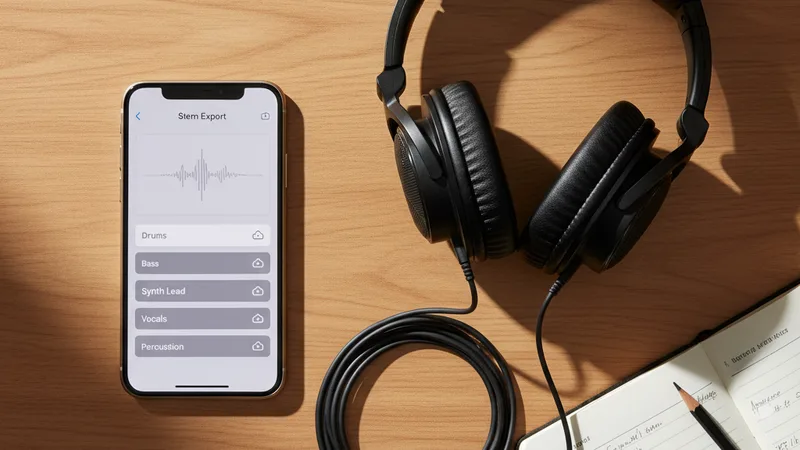
The landscape of AI music apps that support direct stem export, as of mid-2026.
| App | Stem export | Tier required | Number of stems | Format |
|---|---|---|---|---|
| Suno Premier | Yes | $288/year Premier | Vocals, drums, bass, other (4-stem) | WAV |
| Suno Pro | No | n/a | n/a | n/a |
| Muziko Pro | No (in current version) | n/a | n/a | n/a |
| Udio Pro | Limited | $120/year Pro | Variable | WAV |
| Muzio | Yes | Included in paid tiers | Vocals, drums, bass, music (4-stem) | WAV/MP3 |
| Donna AI | Yes (as paid add-on) | Separately purchased | Variable | WAV |
| MyTunes | No | n/a | n/a | n/a |
| Mozart | No (uses external vocal remover only) | n/a | n/a | n/a |
Suno Premier is the clearest path to professional stem export. At $288/year (the highest tier in the major AI music apps), Premier subscribers get 4-stem export — vocals, drums, bass, and "other" — at native quality from the generation pipeline. For producers who need real stems, this is the most reliable option.
Muzio includes stem export in its paid tiers. Muzio's standard subscription includes the stem export feature without needing a higher tier upgrade. The 4-stem export (vocals, drums, bass, music tracks) is comparable in quality to Suno Premier.
Donna AI offers stem separation as a separately purchased add-on. Not bundled with the base subscription; users buy the feature when they need it. Useful for occasional stem needs, less economical for heavy producers.
Muziko Pro currently does not offer native stem export. Users wanting stems from Muziko tracks need to use external stem separation tools (covered in the next section). This is the main producer-side gap in Muziko's current feature set.
MyTunes and Mozart do not currently offer stem export. Mozart offers a vocal-remover tool that creates instrumental versions, which is similar to stem export but only produces a vocals-removed track, not the four-way split.
For users who need stems from apps without native export, post-hoc stem separation tools work but at lower quality. Covered in the next section.
For the broader iPhone AI app comparison including stem export differences, the Muziko vs MyTunes vs Muzio vs Donna vs Mozart 2026 comparison covers the full feature landscape.
External stem separation tools

When the AI music app you're using doesn't export stems natively, external tools can split the finished mix into approximate stems after the fact. The major options in 2026:
| Tool | Type | Pricing | Stem count | Quality |
|---|---|---|---|---|
| Moises | Web + iOS/Android app | Free tier limited; Premium $3.99/month or $39.99/year | 4-5 stems | Good |
| LALAL.AI | Web | Pay per minute ($10 per 90 minutes Lite, $50 per 600 minutes Standard) | 5 stems (vocals, drums, bass, guitar, other) | Excellent |
| Splitter.ai | Web | Free tier limited; subscription | 4-5 stems | Good |
| Vocal Remover (vocalremover.org) | Web | Free | 2 stems (vocals, instrumental) | Acceptable for casual use |
| Demucs | Open source software | Free | 4-6 stems | Excellent (with local install) |
| Spleeter | Open source software | Free | 2, 4, or 5 stems | Good (older but still works) |
| iZotope RX Music Rebalance | DAW plugin | $400 standalone | Adjustable balance | Professional grade |
| Logic Pro Stem Splitter | Built into Logic Pro 11+ | Included with Logic Pro $199 | 4 stems | Excellent |
Moises is the easiest mobile option. Native iOS and Android apps with stem separation that runs in 30-90 seconds per track. The free tier is restricted to short clips and lower-quality output; the $3.99/month or $39.99/year Premium tier unlocks full-length tracks at higher quality. Best for users who want stem separation on phone alongside their AI music generation.
LALAL.AI is the highest-quality web option. Pay-per-use pricing rather than subscription. The output quality is consistently the best among the web-based tools I have tested. Best for occasional high-quality stem needs.
Demucs (open source) is the best free option for users comfortable with command-line tools. Runs locally on your computer (macOS, Windows, Linux) with no per-track cost. Quality is professional-grade. Requires technical comfort with Python and command-line tools.
Logic Pro 11's built-in Stem Splitter is excellent for Mac users. If you already own Logic Pro ($199 one-time purchase), the built-in stem separation feature works directly on imported tracks without additional cost. The integration with the rest of Logic Pro is seamless.
iZotope RX Music Rebalance is the professional-tier option. Used in mastering studios, expensive at $400 but produces the cleanest separation results among the tools tested.
Quality of post-hoc stem separation versus native: Native stem export from Suno Premier or Muzio produces cleaner separation because the source app has the separation data from the generation pipeline. Post-hoc separation (Moises, LALAL, Demucs) uses ML inference to estimate the separation from a finished mix, which inevitably introduces some artifacts — slight bleed between stems, occasional artifacts in the vocal stem, less clean isolation of bass from kick drum. For most production work, post-hoc separation is acceptable; for serious commercial mastering, native export is preferable.
For broader DAW integration workflows, the AI music in GarageBand guide covers the import-and-edit workflow specifically.
Step-by-step: extracting stems from an AI track
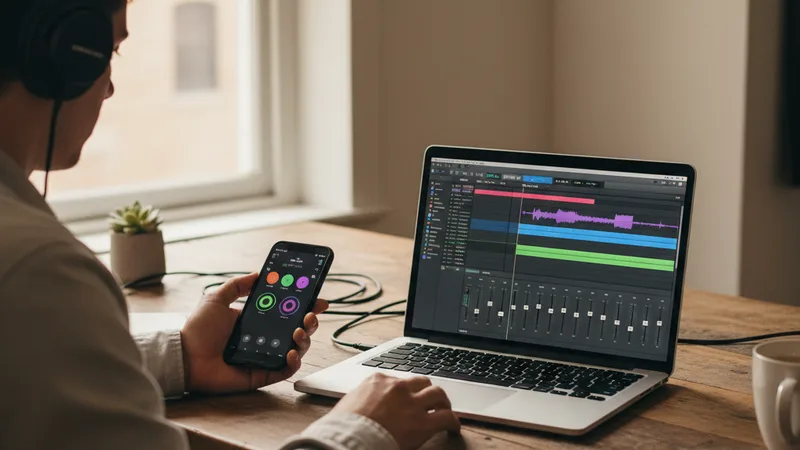
The two workflows depending on whether your AI music app supports native stem export.
Workflow A: Native stem export (Suno Premier, Muzio):
- Open the AI music app on the device you generated the track on.
- Find the generated track in your library.
- Open the track and look for the stem export option (typically in a share or export menu).
- Select the stems to export (vocals, drums, bass, other) and the format (WAV recommended for production work, MP3 acceptable for quick reference).
- Wait for export — typically 30 seconds to 2 minutes per stem.
- Download the stem files to your device or cloud storage.
- Import all stems into your DAW (Logic Pro, Ableton Live, Pro Tools, GarageBand, FL Studio, Reaper).
- Verify alignment — all stems should start at the same timestamp and the same length.
Workflow B: Post-hoc stem separation (any AI music app + external tool):
- Generate the track in your AI music app on iPhone (Muziko, MyTunes, Donna AI, etc.).
- Export the finished mixed track to WAV (or highest-quality format the app supports).
- Open your chosen stem separation tool:
- Moises iOS app: Tap upload, select the WAV file from Files, choose stem separation.
- LALAL.AI web: Open lalal.ai in Safari, upload the WAV, choose the separation profile.
- Demucs (Mac/Linux/Windows): Run the command
demucs path/to/track.wavin Terminal. - Logic Pro 11 Stem Splitter: Drag the WAV into a Logic Pro project, right-click, choose Stem Splitter.
- Wait for the separation to complete (10 seconds to several minutes depending on tool).
- Download or save the separated stems.
- Import the stems into your DAW.
- Verify alignment.
Cleaning up post-hoc separated stems:
- Check the vocal stem for instrumental bleed. Some tools leave a small amount of drum or bass bleed in the vocal stem.
- Check the instrumental stems for vocal bleed. The vocal removal is sometimes imperfect; faint vocal artifacts can appear in the instrumental tracks.
- Use EQ in your DAW to clean up bleed: a high-pass filter on the vocal stem removes low-frequency drum bleed; a notch filter at the vocal fundamental frequency can reduce vocal bleed in the instrumental.
- For serious release work, re-record the vocal if the separation isn't clean enough.
For more on the production workflow that follows stem extraction, the AI music in GarageBand guide covers the iPhone-to-DAW workflow specifically.
Stem quality comparison: native vs post-hoc
Honest accounting of stem quality across the major options, based on testing about twenty AI-generated tracks across pop, country, lo-fi, R&B, and EDM genres.
| Source | Vocal isolation | Drum isolation | Bass isolation | Instrumental bleed | Verdict |
|---|---|---|---|---|---|
| Suno Premier native | Excellent | Excellent | Excellent | Minimal | Best |
| Muzio native | Excellent | Very good | Very good | Minimal | Best |
| Logic Pro 11 Stem Splitter | Excellent | Very good | Very good | Low | Excellent for Mac users |
| LALAL.AI | Very good | Good | Good | Low-moderate | Best post-hoc option |
| Demucs (local) | Very good | Good | Good | Low-moderate | Best free option |
| Moises | Good | Good | Acceptable | Moderate | Good mobile option |
| Splitter.ai | Good | Acceptable | Acceptable | Moderate | Acceptable backup |
| Vocal Remover (free web) | Acceptable | n/a (only 2 stems) | n/a | Higher | OK for casual use |
Native export from Suno Premier and Muzio produces noticeably cleaner separation than any post-hoc tool. The native pipeline has access to the underlying stem data; post-hoc tools have to estimate separation from the finished mix.
For Mac users with Logic Pro 11, the built-in Stem Splitter is excellent. If you already own Logic Pro, you don't need additional software for most stem extraction needs.
LALAL.AI is the highest-quality web-based post-hoc tool. Worth the pay-per-use cost for occasional high-quality stem needs.
Moises is the best mobile option. The native iOS app fits the iPhone-to-stem workflow without requiring desktop tools.
For free options, Demucs is the strongest but requires technical comfort with command-line tools. Splitter.ai's free tier is acceptable for casual users who don't want to install software.
For the specific use case of removing vocals to create instrumental versions only (rather than full 4-stem separation), the simpler vocal-remover tools or the Mozart app's built-in vocal remover may suffice.
When stem extraction is worth the time

Honest accounting of when extracting stems from AI music is worth the effort and when the finished mix is enough.
Stem extraction is worth it for:
- Remixing AI tracks for release. Producers building remix versions, club edits, extended cuts, or genre crossovers need stems to manipulate the production.
- Layering AI music into multi-track productions. Content creators building podcasts, video soundtracks, or game audio that combines AI music with other audio elements benefit from being able to duck the AI vocal or boost the AI instrumental.
- Live performance preparation. DJs and live performers building set tracks need stems to create transitions, build energy, and integrate AI tracks with live elements.
- Re-recording vocals over AI instrumentals. Singer-songwriters who want to use the AI-generated instrumental but replace the vocal with their own live recording need the vocals removed cleanly.
- Mastering with different tonal balance. Some AI generations have mastering choices that work for streaming but not for specific contexts (vinyl release, broadcast, live PA). Stems let you re-master.
- Creating instrumental versions for karaoke or backing tracks. Removing the vocal stem creates a karaoke version of the AI track.
- Educational and reference use. Music teachers analyzing the production of a track for students benefit from being able to isolate each element.
- Game audio adaptive music systems. Indie game developers building dynamic music that responds to gameplay state need the stems to mix in-engine.
Stem extraction is not worth it for:
- Personal occasion songs (birthday, anniversary, wedding gift). The finished mix is the deliverable; no stem manipulation needed.
- Podcast intros and stings. Short tracks for spoken-word context don't need stem-level manipulation.
- Casual social content (TikTok, Reels). Short-form video uses the finished track directly.
- Etsy custom-song delivery. Customers want the finished mix, not stems.
- Quick demo tracks for songwriter pitches. Demo-grade work usually doesn't justify the stem extraction time.
- When the AI app doesn't support native stems and the track quality doesn't justify external tool cost. Post-hoc separation introduces artifacts; if the source track is rough, the stems will be rougher.
- When you can simply regenerate variations rather than remix. AI music app iteration is fast enough that regenerating with a different prompt often produces what you want faster than stem extraction and remix.
For the broader iPhone-to-DAW workflow, the AI music in GarageBand guide covers the integration patterns.
Try the stem extraction workflow
The best way to understand which path fits your workflow is to test both.
Native stem export test: If you have a Suno Premier or Muzio subscription, generate a track, find the stem export option, and download all stems. Import them into GarageBand on iPhone or Logic Pro on Mac. Verify they align cleanly. Listen to each stem in isolation.
Post-hoc separation test: Generate a track in Muziko, MyTunes, or another app that doesn't support native stem export. Export the finished WAV. Open Moises iOS app (or LALAL.AI in browser). Upload the WAV. Choose stem separation. Wait for processing. Compare the separated stems to the original mix.
Compare quality: Listen to the vocal stem in isolation from both sources. Listen for bleed (drum or instrument sounds in the vocal stem). Listen to the instrumental stem and check for vocal artifacts. The native export quality should be noticeably cleaner.
Decide based on volume: If you extract stems occasionally (a few times per month), post-hoc tools and pay-per-use options work fine. If you extract stems regularly (weekly or daily for production work), the higher-tier subscription with native export pays for itself in time saved and quality improvement.
For more on the AI music apps that support these workflows, the best AI music app for iPhone 2026 top 10 ranking covers the broader app landscape.
Frequently asked questions
Which AI music apps export stems natively in 2026?
Suno Premier ($288/year) offers 4-stem export — vocals, drums, bass, other — at native quality. Muzio includes stem export in its paid tiers without requiring a higher upgrade. Donna AI offers stem separation as a separately purchased paid add-on. Udio Pro has limited stem export. Muziko Pro, MyTunes, and Mozart currently do not offer native stem export — for tracks from these apps, you need to use external stem separation tools like Moises, LALAL.AI, Demucs, or Logic Pro 11's built-in Stem Splitter. Native stem export consistently produces cleaner separation than post-hoc tools because the source app has access to the underlying generation data.
How do I extract stems from AI music that doesn't have native stem export?
Use a post-hoc stem separation tool. The best options in 2026: Moises (iOS/Android app, $3.99/month Premium) for mobile workflows. LALAL.AI (web, pay per minute) for highest-quality results. Demucs (open source command-line tool) for free local processing if you're comfortable with technical tools. Logic Pro 11's built-in Stem Splitter (included with $199 Logic Pro purchase) for Mac users who already own Logic. Splitter.ai (web, free tier available) for casual use. The workflow: export the finished AI track to WAV from your AI music app, upload to the stem separation tool, wait for processing, download the separated stems, import into your DAW. Post-hoc separation introduces some audio artifacts compared to native export but is acceptable for most production work.
What's the difference between native stem export and post-hoc stem separation?
Native stem export comes from inside the AI music app — the app has access to the underlying stem data from its generation pipeline and exports the actual separated stems. The result is clean, with minimal bleed between stems. Post-hoc stem separation uses machine learning to estimate the separation from a finished mixed track after generation. The tool analyzes the audio and attempts to identify which sounds belong to which stem, then separates them. The result is approximate, with some bleed and occasional artifacts. For most production work, post-hoc separation quality is acceptable; for serious commercial mastering, native export is significantly better. The quality difference is most noticeable in the vocal isolation — post-hoc vocal extraction often has some instrumental bleed that native export avoids.
Can I extract stems from AI music on iPhone, or do I need a desktop?
You can extract stems on iPhone using either native export (if your AI music app supports it on mobile) or external mobile tools. Muzio's native stem export works on iOS. Moises has a native iOS app that runs stem separation on phone. For more complex stem work, a desktop with a DAW (Logic Pro, Ableton Live, GarageBand) gives you better mixing control and additional tools, but pure stem extraction can happen entirely on iPhone if your workflow needs to. iPad with Logic Pro for iPad offers a middle path — larger screen than iPhone, more capable than mobile-only workflows. For the broader iPad vs iPhone workflow context, see the AI music on iPad vs iPhone workflow test.
How much does stem separation cost in 2026?
Native stem export costs depend on the AI music app subscription tier: Suno Premier at $288/year includes stems; Muzio's paid tiers include stems without an upgrade. External stem separation pricing: Moises Premium at $3.99/month or $39.99/year for unlimited stem separation on iOS and web. LALAL.AI at roughly $10 per 90 minutes of audio (Lite tier) or $50 per 600 minutes (Standard tier). Demucs is free if you're comfortable with command-line tools. Logic Pro 11's built-in Stem Splitter is included with the $199 one-time Logic Pro purchase. The cheapest path for occasional stem needs is the free tier of Splitter.ai or vocalremover.org. The best cost-quality balance for regular stem work is Moises Premium at $39.99/year.
When should I extract stems from AI music versus just regenerating the track?
Extract stems when you need to manipulate specific elements that can't be re-prompted for: replacing the vocal with a live recording, layering AI music into a multi-track production with other audio elements, creating remixes or extended versions, building adaptive music systems for games, or re-mastering with a different tonal balance. Regenerate the track when you want a different overall feel — different genre, different tempo, different vocal style, different lyrics. Regeneration is faster (5-10 minutes for a new track) than stem extraction plus remix work (often 30-90 minutes). For most cases where someone is tempted to extract stems, regenerating with an adjusted prompt is the faster path. Stem extraction is for the cases where regeneration won't give you what you need.
Try everything you just read about. Muziko is free to download.

![AI Lyrics Generator: Write Song Lyrics Free [Tested 2026]](/_next/image?url=%2Fimages%2Fblog%2Fai-lyrics-generator%2Fhero.webp&w=3840&q=75)