
AI Trap Generator: Atlanta-Style Beats That Hit (2026)
AI trap generator that makes hard-hitting Atlanta-style beats on iPhone. Heavy 808s, sliding hi-hats, real trap energy — tested on Muziko in 5 minutes.
I was supposed to be writing about jazz this week. Then a producer friend in Atlanta sent me a voice note at 1 a.m. with a beat he'd made on his phone in the parking lot of a Waffle House. The 808 was rattling my AirPods. The hi-hats were doing that triplet roll that makes your head nod before your brain catches up.
He didn't open Logic. He didn't open FL Studio. He typed a prompt into an AI app, hit generate, and four iterations later he had something he was actually going to keep.
That's the case for a custom AI trap generator. Not because trap is hard to find — Spotify has eight thousand free trap loops you can download right now — but because the trap you find online isn't the trap you hear in your head. And what you hear in your head matters more than you think.
Why generic trap beats fall short
The free trap beat library you find on YouTube has a specific problem: it's been heard ten million times already. Every aspiring rapper in your city has typed "free type beat metro boomin" into the search bar this week. If you upload a freestyle over one of those beats, the algorithm has already pattern-matched you to twenty thousand other uploads with identical drums.
Royalty issues sneak up on you. Most "free" type beats come with a leasing agreement you didn't read. The producer keeps publishing rights. If your track goes anywhere — even modest TikTok traction — you owe them a cut. Or worse, your video gets claimed and demonetized.
The mood mismatch is real. Most type beats sit in the same emotional pocket: dark, atmospheric, mid-tempo. But trap is wider than that. You've got bouncy Atlanta party trap. You've got slow Memphis dirge trap. You've got triumphant trap with horns. You've got plugg with detuned bells. Generic beat libraries flatten all of that into one mood.
Tempo is a fingerprint. Modern Atlanta trap runs roughly 130-160 BPM but feels half-time because the snares hit on beat three. If your beat sits at 140 but the snare is wrong, the whole thing reads as off — even if you can't articulate why.
This is the case for prompt-driven AI: you describe the specific texture you want, and the model builds the beat around your description instead of around what was popular eighteen months ago.
What custom AI trap adds
When you generate trap with a prompt-driven app like Muziko, you get:
- Subgenre specificity. "Atlanta trap" and "Memphis trap" produce noticeably different results. So do "plugg," "rage," "drumless trap," and "trap soul."
- Real 808 movement. The slides and glides that define trap bass aren't loops — they're written into the prompt. You ask for "sliding 808 glides," you get them.
- Hi-hat patterns that actually roll. Triplets, sextuplets, double-time bursts. You can specify density.
- Vocal options. Mumble-style hooks, melodic ad-libs, or no vocals at all — your call.
- Tempo dialed exactly where you want it. Most trap AI defaults land around 140 BPM, but you can push to 150 for energy or drop to 130 for a slow grind.
- Mood layers. Same drum pattern can feel ominous, triumphant, or bouncy depending on what melody and chords you specify.
The best part: you're not signing a beat lease. The music is yours. If you're planning to release it commercially, check my guide to selling AI-generated music for the licensing details.
Step-by-step in Muziko
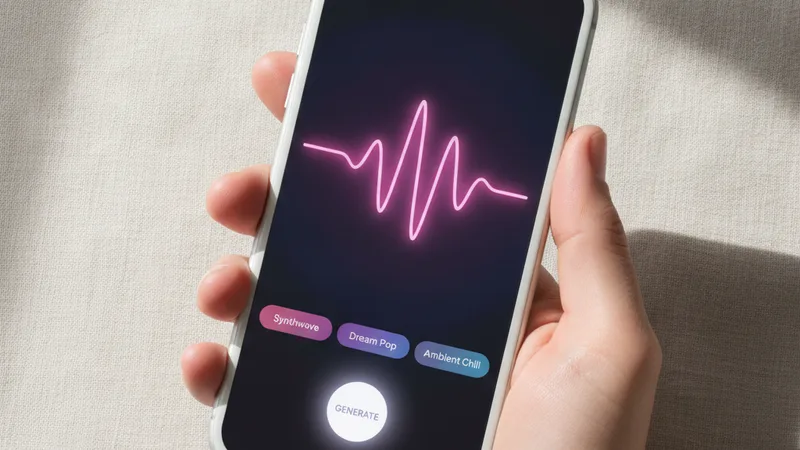
Here's exactly what I did last Tuesday to make a trap beat that I genuinely wanted to play loud:
- Open Muziko, tap Describe. Don't use Story Mode for trap — it tries to add narrative arc, which fights against trap's loop-based structure.
- Pick the Hip-Hop / Trap genre tag. Muziko has 50+ genres but trap is a top-level tag with a dedicated sub-engine.
- Set mood to Dark or Energetic. Avoid "Happy" — it pushes the model toward pop-trap which sounds dated in 2026.
- Write a detailed prompt. I'll cover the prompt-craft below, but be specific about 808 behavior, hi-hat pattern, and tempo.
- Add lyrics or leave blank. For instrumentals, leave blank. For freestyling over later, leave blank. For finished hooks, write them out.
- Hit generate. Generation takes 8-15 seconds. Yes, really.
- Listen on speakers or with the 808 actually audible. AirPods Pro flatten low end. You can't judge trap on flattened low end.
- If the 808 isn't hitting, regenerate. Use the same prompt — the model produces different takes each run. Often the third or fourth take is the keeper.
- Once you've got the bones, refine. Add or remove instruments by editing the prompt. "More open hi-hats," "darker keys," "slower tempo" — the model responds to specific edits.
- Export and bring into your DAW if you want to add ad-libs or your own vocals. The exported file plays nicely with GarageBand if you want to continue editing on iPhone.
Writing the prompt that hits
This is where most people give up too early. They type "trap beat" and wonder why they get something that sounds like a 2019 SoundCloud upload.
Trap prompts need four layers:
Layer 1: Subgenre + era. "2024 Atlanta plugg trap" gives the model an era anchor. "2018 Memphis dark trap" gives a different anchor. Be specific. Just "trap" defaults to a generic mid-2010s sound.
Layer 2: 808 behavior. This is the most underrated prompt element. Specify whether you want "static 808 hits" (Travis Scott style), "sliding 808 glides" (Future style), or "detuned 808 with pitch bend" (plugg / rage). The 808 is trap's whole personality.
Layer 3: Hi-hat pattern. "Skittery triplet hi-hats with double-time bursts" gets a different result than "sparse open hi-hats with shaker fills." If you don't specify, the model defaults to a basic 16th-note pattern, which sounds dated.
Layer 4: Melodic layer. "Detuned bell melody" (plugg), "orchestral horns" (triumphant trap), "warbly synth lead with pitch slide" (rage), "melancholy piano with reverb" (sad trap), or "haunting choir pad" (dark trap). Pick one — combining two confuses the output.
Here's a working prompt I keep going back to:
"2024 Atlanta trap beat, 142 BPM, sliding 808 glides with subtle pitch bend, skittery triplet hi-hats with double-time roll fills every four bars, dark detuned bell melody, sparse rim shot snares on beat three, no vocals, dim moody atmosphere"
That prompt has produced about a dozen distinct beats for me, each useful in different contexts. The model varies the melody and arrangement, but the skeleton stays consistent.
For deeper prompt mechanics — verses, bridges, drops — see my full guide to writing AI song prompts.
Trap subgenre chart
I've been testing trap prompts for about three months. Here's what produces consistently good results across subgenres:
| Subgenre | BPM | 808 Style | Hi-Hat | Melody Hint |
|---|---|---|---|---|
| Atlanta plugg | 130-145 | Detuned, pitch-bent | Skittery triplets | Detuned bells, pluck synths |
| Memphis trap | 130-150 | Distorted, gritty | Sparse with pitch shifts | Horror sample, dark piano |
| Rage trap | 150-170 | Distorted, sub-heavy | Fast bursts, washy | Warbly synth lead |
| Drumless trap | N/A | None | None | Just keys / sample loop |
| Trap soul | 130-145 | Smooth, melodic | Crisp, lighter touch | R&B keys, vocal chops |
| Cloud trap | 120-140 | Soft, blended | Light, ethereal | Reverbed pads, dreamy keys |
| Triumphant trap | 140-160 | Punchy, on-beat | Standard triplets | Orchestral horns, strings |
| Dark trap | 130-145 | Heavy, slow slides | Detailed triplets | Minor piano, haunting choir |
| Latin trap | 90-100 (half time) | Sliding | Reggaeton-influenced | Dembow rhythm, Spanish guitar |
| UK drill / trap | 140-145 | Sliding glides | Skittery, busy | Cinematic strings |
| Plugg | 125-140 | Detuned, glitchy | Light, syncopated | Detuned bells, fairy sounds |
| Trap metal | 80-100 (half) | Distorted | Sparse | Distorted guitars, screams |
If you want to test the differences without making twelve beats, take one prompt and just swap the subgenre word. Same drums, same 808 instruction — you'll hear the model adjust the melody and texture to match the era.
When AI trap works, and when it doesn't
It works when:
- You want a beat to freestyle over and you don't care about owning master rights to the drums
- You're making content for TikTok / Reels / Shorts and need original audio fast
- You want to demo a vocal idea before paying a producer for a real beat
- You're making a beat tape, lo-fi style, and want background trap that's not a stock loop
- You're prototyping song structure before committing to a real session
It falls short when:
- You're trying to chase a specific producer's signature sound — Metro, Wheezy, Pi'erre Bourne, Southside. The model gets close to the genre but not to a specific producer's fingerprint.
- You need stems for serious mixing. Muziko gives you the stereo master, not individual tracks. If stem separation matters, see my stem extraction guide.
- The 808 isn't hitting hard enough. Sometimes the model softens the low end. Regenerate three or four times — usually one of them lands.
- You need exact BPM lock to an existing acapella. Trap AI BPMs are close but not surgical. You may need to time-stretch in your DAW.
I'd also say it's currently weak at "phonk-influenced trap" because the cowbell-heavy phonk drum kit competes with the trap 808. For phonk specifically, I'd point you at the dedicated phonk article — different model behavior, better results.
Try this prompt right now
Open Muziko, hit Describe, and paste this in:
"2024 Atlanta plugg trap, 138 BPM, detuned 808 glides with subtle pitch bend, skittery triplet hi-hats with occasional double-time roll, glitchy detuned bell melody in minor key, sparse rim shot snares on beat three, atmospheric reverb tail, no vocals, dim moody plugg vibe"
Generate four takes. Pick the one with the heaviest 808 movement. That's the one you build on.
Open Muziko in the App Store →
Frequently asked questions
Is AI trap free to use commercially?
On Muziko Pro, you own commercial rights to the music you generate. The free tier is for personal use only. Either way, the music is original and not a sample of an existing copyrighted track. For the full licensing breakdown, see our guide to selling AI-generated music.
Can AI trap beats compete with real producer beats?
For freestyles, demos, and content, yes. For a major-label single, you still want a human producer for the final master. AI trap is closer to a really good free type beat than to a custom Metro Boomin production — useful, but not the top tier of the genre.
What BPM should AI trap beats be?
Most modern Atlanta trap sits between 130 and 150 BPM with snares on beat three, creating a half-time feel. Rage trap pushes to 150-170. Latin trap is technically 90-100 BPM but feels different because of the dembow rhythm.
Can I rap over AI-generated trap?
Yes. Export the instrumental as an audio file, import it into your DAW (GarageBand works on iPhone), record vocals on top, mix, and you're done. Plenty of independent artists are releasing tracks this way.
Why does my AI trap beat sound flat?
Usually one of three things: you're listening on AirPods which flatten low end, your prompt didn't specify 808 behavior so the model used a generic kick, or the model gave you a weaker take this run. Try regenerating with the same prompt — third or fourth take usually hits harder.
How does AI trap compare to Suno or Udio?
Suno and Udio are web-based and produce longer, vocal-heavy tracks. Muziko is iPhone-native and faster — 8 to 15 seconds per generation — and the trap-specific tuning is sharper because it's a mobile-first model. For a full comparison, see our Muziko vs Suno head-to-head.
Try everything you just read about. Muziko is free to download.
![AI Cinematic Music Generator: Trailer Scores [Tested]](/_next/image?url=%2Fimages%2Fblog%2Fai-cinematic-music-generator-trailer-scores%2Fhero.webp&w=3840&q=75)
![AI Dubstep Generator: Drops That Actually Hit [Tested]](/_next/image?url=%2Fimages%2Fblog%2Fai-dubstep-generator-drops-that-hit%2Fhero.webp&w=3840&q=75)