![AI Metal Generator: Heavy Riffs That Actually Shred [Tested]](/_next/image?url=%2Fimages%2Fblog%2Fai-metal-generator-heavy-riffs-that-shred%2Fhero.webp&w=3840&q=75)
AI Metal Generator: Heavy Riffs That Actually Shred [Tested]
AI metal generator tested across death, thrash, and doom on iPhone. Real heavy riffs, blast beats, and growls — Muziko generates in under 15 seconds.
I'll be honest: metal was the genre I expected AI to fail at most spectacularly.
I've been covering AI music tools for two years now, and I've watched the models get genuinely competent at pop, R&B, even jazz. But metal? Metal has a community that can hear a fake riff from across the room. They know the difference between a distorted chord and a metal chord. They know what a palm mute sounds like under a real amp versus a plugin with default settings. They care deeply, and they are not forgiving.
So when I ran two months of metal prompt tests on Muziko, I was prepared to write a cautious "it's fine for demos" piece and call it a day.
That's not the piece I'm writing.
Why generic metal falls short
The stock metal problem is specific. It's not that there's no metal available — there are entire royalty-free metal libraries on Musicbed, Epidemic Sound, and Artlist. The problem is that stock metal sounds like the idea of metal rather than the real thing.
The riff is always safe. Stock metal producers write riffs that are heavy enough to signal "metal" but not so extreme they alienate a licensing client. Everything sits in a palatable mid-range that a fitness brand could run under a weights montage. Actual metal subgenres — death, black, doom, thrash, djent, deathcore — require specific sonic commitments that stock libraries avoid.
The production is always modern and clean. Lo-fi black metal with cassette tape saturation doesn't appear in stock libraries because no one would buy it for commercial sync. But that's exactly what a black metal artist needs for a demo. The model will go there if you ask it to.
Subgenre differences are huge. Power metal and sludge metal share almost nothing except distorted guitars. Doom metal runs at 50 BPM. Thrash runs at 200. Death metal has blast beats. Nu-metal has turntables. Lumping them all under "metal" is like lumping jazz and country together because both have drums.
Stock libraries can't do vocals. Metal vocals are one of the most varied vocal styles in music — clean highs, harsh lows, screams, growls, pig squeals, clean power vocals, black metal shrieks. Stock libraries avoid all of it. AI doesn't.
What custom AI metal adds
When you generate metal with specific prompts on Muziko, you get:
- Subgenre specificity that actually holds. "Death metal" produces down-tuned guitars, blast beats, and guttural vocals. "Doom metal" produces slow, crushing riffs with clean or reverb-soaked vocals. "Thrash metal" produces fast palm-muted riff patterns and snare-heavy drumming. The model has learned the distinctions.
- Tuning and tone options. Drop D, drop B, standard tuning — specify it. High-gain distortion, mid-scooped Mesa/Boogie tone, or lo-fi black metal fuzz — describe it.
- Real drum patterns. Blast beats, double-kick patterns, half-time breakdowns. Metal drumming is technical and specific, and specifying it in the prompt produces noticeably better results than leaving it to the model's defaults.
- Vocal range choices. Harsh vocals, clean power vocals, screamo, black metal shriek, or instrumental. All accessible through the prompt.
- Song structure including breakdowns. Specify "breakdown in the bridge" and the model will typically include a tempo drop with heavier, chunkier riff. It's not always perfect, but it's often there.
I'll also say: the model handles Muziko's Write Lyrics mode well for metal. Metal lyrics tend toward imagery, metaphor, and second-person address — structures the model navigates better than it handles conversational lyrics.
Step-by-step in Muziko
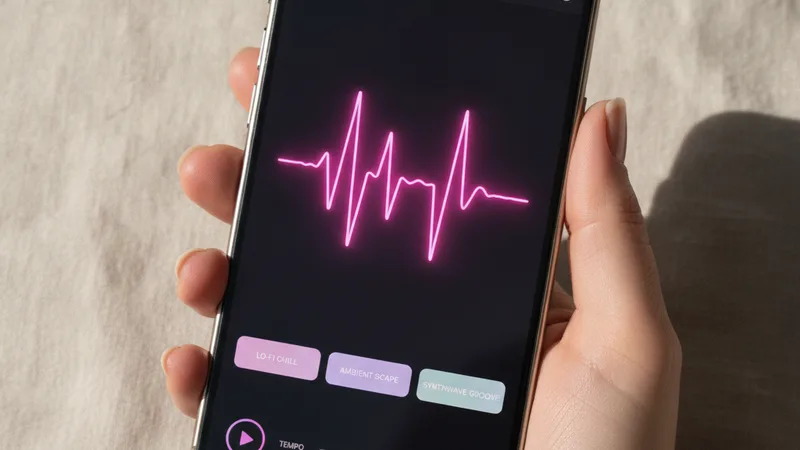
Here's how I generated a death metal track I ended up actually using as a reference demo:
- Open Muziko, tap Describe. For metal without your own lyrics, Describe mode gives you more control over sound texture. For metal songs with your words, Write Lyrics mode produces better melodic fitting.
- Select Rock / Metal genre tag. Metal has its own sub-engine in Muziko — don't use the generic Rock tag if you want real heaviness.
- Set mood to Aggressive or Dark. Avoid "Energetic" — it skews toward hard rock rather than metal. "Dark" gives you doom and atmospheric black metal. "Aggressive" gives you thrash and death.
- Write a detailed prompt. Subgenre, tuning, vocal style, tempo, key riff description, and drum pattern. All of it matters more in metal than in almost any other genre.
- Generate. 8-15 seconds.
- Listen immediately on speakers or headphones with a real bass response. Metal's low end is the whole point. Don't judge it on laptop speakers.
- Check the riff first. Is it palm-muted? Is it in the right register? Is there actual rhythmic drive? If the riff is wrong, regenerate before evaluating anything else.
- Regenerate up to five times. Metal tone varies more run-to-run than most genres. The model produces genuinely different riff patterns each time — sometimes the fifth take is the keeper.
- Refine with specific prompt edits. "More double-kick under the verse," "add a breakdown in the bridge," "harsher vocal texture," "lower tuning." Small edits, noticeable differences.
- Export for your DAW if you're adding real instruments. The AI track works well as a demo skeleton — you can record real guitar over it later.
Writing the prompt that actually gets heavy
Most people type "metal song" and get something that sounds like a mall-rock band from 2003. The prompt architecture is everything.
Layer 1: Exact subgenre. Not "metal" — pick one: "death metal," "thrash metal," "doom metal," "black metal," "power metal," "djent," "deathcore," "nu-metal," "sludge metal," "symphonic metal," "folk metal." Each has a distinct sonic signature. The model knows them.
Layer 2: Tuning and amp tone. "Drop B tuning, high-gain distortion with mid-scoop" (death/djent). "Standard tuning, vintage Marshall crunch" (classic heavy metal). "Down-tuned to C, lo-fi fuzz with tape saturation" (black metal). "Drop D, clean-to-distorted switch" (nu-metal). Tone is identity in metal.
Layer 3: Drum specification. "Blast beats at 220 BPM" (death/grind). "Double-kick gallop at 180 BPM" (thrash). "Slow half-time with massive snare at 60 BPM" (doom). "D-beat punk drumming at 150 BPM" (black metal). Generic "fast drums" produces weak results.
Layer 4: Vocal style. "Guttural low death growl," "high-register black metal shriek," "clean tenor power vocals," "screamo hardcore shout," "operatic soprano over heavy guitars," "no vocals, instrumental." Each is a distinct model behavior.
Layer 5: Structure anchor. "Verse-chorus with a breakdown bridge," "one long riff-based instrumental build," "intro riff — verse — solo — outro." Metal has stronger structural conventions than most genres; telling the model which one you want helps.
Here's the death metal prompt I keep using:
"Old-school death metal, 190 BPM, drop B tuning, down-picked palm-muted riff in the verse, blast beats with double-kick underneath, guttural low growl vocals, mid-song breakdown at half tempo, classic 1990s Florida death metal production, dry and punchy mix, no synths"
And here's a doom metal prompt on the opposite end of the spectrum:
"Funeral doom metal, 45 BPM, heavily down-tuned guitars in C standard, slow crushing riff with massive reverb, distant clean vocal with slight delay, enormous drum hits every two bars, suffocating heavy atmosphere, long song structure with minimal dynamics"
Both produce convincingly subgenre-accurate results. The model is not confused about the difference between 45 BPM and 190 BPM.
For general prompt strategy — verses, bridges, tone — the full prompt guide has the wider framework.
Metal subgenre chart
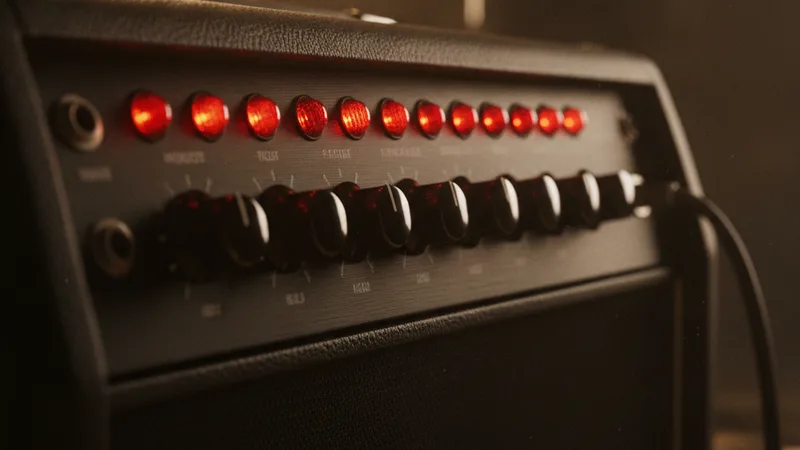
Two months of testing across subgenres. Here's what works:
| Subgenre | BPM | Tuning | Drums | Vocal Style | Prompt Anchor |
|---|---|---|---|---|---|
| Death metal | 160-220 | Drop B / C | Blast beats, double-kick | Guttural growl | "1990s Florida death metal, dry punchy mix" |
| Thrash metal | 160-200 | E standard / Drop D | Gallop, snare-heavy | Shouted aggressive clean | "1980s Bay Area thrash, Metallica/Slayer influence" |
| Doom metal | 40-80 | Drop C / B | Massive slow hits | Clean, distant, reverb-heavy | "Funeral doom, crushing, suffocating atmosphere" |
| Black metal | 150-220 | Standard / Drop D | D-beat, blast beats | High shriek, raspy | "Scandinavian black metal, lo-fi cassette production" |
| Power metal | 130-180 | E standard | Double-kick gallop | Operatic tenor/soprano | "European power metal, twin guitar harmonies, epic" |
| Djent | 100-140 | Drop B / 8-string | Syncopated polyrhythm | Clean high / harsh low | "Modern djent, Periphery/Meshuggah influence" |
| Symphonic metal | 120-160 | E standard | Double-kick with orchestra | Soprano over heavy guitars | "Symphonic metal, orchestral strings and choir" |
| Nu-metal | 90-140 | Drop D | Half-time with DJ scratches | Rap verse, sung chorus | "Late 1990s nu-metal, turntable breakdown, Linkin Park era" |
| Sludge metal | 60-100 | Drop C / B | Slow, massive, feedback | Shouted, tortured | "New Orleans sludge, Eyehategod influence, feedbacky" |
| Folk metal | 120-160 | E standard | Double-kick with folk percussion | Clean folk vocal | "Celtic folk metal, tin whistle and fiddle over heavy guitars" |
| Deathcore | 140-180 | Drop A / B | Blast beats with breakdowns | Growl + scream switch | "Deathcore, breakdown every 8 bars, low and punishing" |
| Metalcore | 140-170 | Drop D | Alternating blast and half-time | Clean chorus, harsh verse | "Metalcore, melodic chorus over aggressive verse" |
The biggest tip here: pick the subgenre first, then let everything else follow from it. If you write "metal song with blast beats and clean vocals," the model has to guess which genre tradition those elements belong to, and it usually guesses wrong. Anchor it to a subgenre and the rest snaps into place.
When AI metal works, when it doesn't
It works when:
- You're demoing a song idea before a rehearsal — the AI track gives your bandmates something to react to
- You're making content for YouTube, gaming videos, or trailers that need heavy music without sync licensing fees
- You want to test how a lyric fits a metal arrangement before recording properly
- You're a solo musician with no drummer and need a passable drum track for home recording reference
- You're exploring subgenres — testing whether your concept works better as doom or sludge, thrash or death
It falls short when:
- You're after a specific guitarist's tone. Dimebag's squeals, Toni Iommi's detuned sludge, Meshuggah's djent chug — the model gets close to the genre but not to the individual. Real amp + real fingers is irreplaceable for that.
- You need stems for mixing. Muziko outputs a stereo master. For multi-track metal production, you'd need stems — see the stem extraction guide.
- The subgenre is very niche. "Pornogrind" and "slam brutal death metal" produce mixed results because the training data is thin. The major subgenres listed above work consistently well.
- You need polyrhythmic djent math riffs locked to a specific time signature. The model produces djent-adjacent rhythms well, but 7/8 + 5/4 polyrhythm over 9/8 is still more of an accident than a guarantee.
Compared to Suno and Udio: both handle heavy rock reasonably well. In my testing, Muziko's metal sub-engine produces more convincing extreme metal (death, black, doom) because of the genre-specific tuning. Suno skews toward accessible hard rock. For the full comparison, see Muziko vs Suno.
Try this prompt right now
Open Muziko, tap Describe, paste this in:
"Thrash metal, 185 BPM, E standard tuning, aggressive down-picked palm-muted verse riff, double-kick gallop, shouted aggressive vocals with melodic chorus, mid-song guitar solo section, 1980s Bay Area thrash production — tight and punchy"
Generate five takes. Pick the one where the palm mute on the verse riff has the most rhythmic snap. Then try swapping "thrash metal" for "death metal" in the same prompt — you'll hear exactly what the subgenre anchor does.
Open Muziko in the App Store →
Frequently asked questions
Can AI actually generate real metal music?
Yes, with specific prompts. The major subgenres — death, thrash, doom, black, power, metalcore — produce convincing results when you specify tuning, drum pattern, vocal style, and a subgenre anchor. Generic "metal" prompts produce generic results. Specific prompts produce specific metal.
Can AI generate death metal vocals including growls?
Yes. Specifying "guttural low death growl" or "high-register black metal shriek" in the prompt produces those vocal textures. They're not perfect imitations of specific vocalists, but the style and register are recognizable.
What's the slowest BPM metal AI can generate?
Funeral doom and sludge prompts can push down to 40-50 BPM. At that tempo the model produces very sparse, crushing arrangements — slow drum hits, long-sustain guitar, heavy reverb. It's one of the more surprisingly convincing extremes.
Can I use AI metal for YouTube gaming videos?
Yes, and it's one of the best use cases. YouTube's Content ID doesn't flag original AI-generated music. With Muziko Pro you own commercial rights to everything you generate, so no strikes, no revenue claims, no licensing headaches. Check the full licensing guide for details.
How does AI metal compare to hiring a session metal band?
A real band adds performance nuance, mic'd amp tone, and human timing variations that AI still can't fully replicate. For a final recording, hire musicians. For demos, reference tracks, content, and prototyping, AI metal is fast and free of scheduling problems.
Can AI generate djent or progressive metal?
Djent prompts produce good results for rhythm and syncopation. True progressive metal with complex time signatures (7/8, 9/8 polyrhythm) is less reliable — the model approximates the feel but doesn't guarantee mathematical precision. For standard djent grooves it works well.
Try everything you just read about. Muziko is free to download.
![AI Punk Generator: Raw Guitar Tracks That Actually Hit [Tested]](/_next/image?url=%2Fimages%2Fblog%2Fai-punk-generator-raw-guitar-tracks-that-actually-hit%2Fhero.webp&w=3840&q=75)
![AI Amapiano Generator: Log Drum Tracks [Tested 2026]](/_next/image?url=%2Fimages%2Fblog%2Fai-amapiano-generator-log-drum-tracks%2Fhero.webp&w=3840&q=75)